
PyAEDT Network Editor
Note:
The PyAEDT Network Editor toolkit uses PyAEDT functionality to run. If PyAEDT is not installed when first accessing the toolkit, a script runs to install the necessary components.
The PyAEDT Network Editor is a web browser-based tool that allows you to edit the structure and thermal properties for the existing network boundary conditions in your design. Access the PyAEDT Network Editor by right-clicking on an existing network boundary condition and selecting Open Network Editor.
Note: Click the image to open a full-sized version in a new tab.
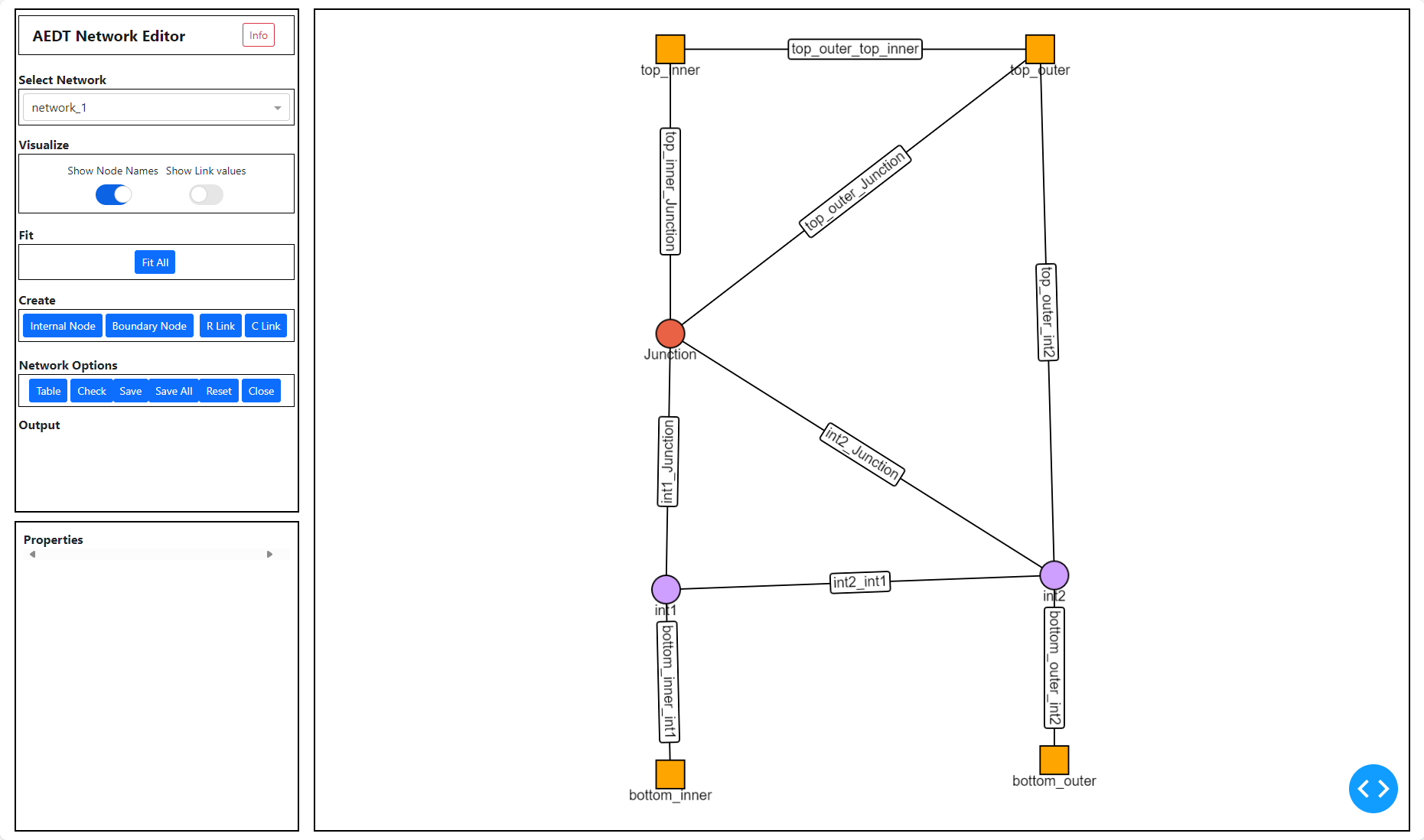
| Select Network | The Select Network drop-down list contains all networks in the design. Select a network to edit it in the PyAEDT Network Editor. |
| Visualize | Under Visualize, enable Show Node Names to display the node names in the network editor. Enable Show Link values to display the links' values instead of their names. |
| Fit | Under Fit, click Fit All to zoom in or out to display all network objects in the editor. |
| Create | Under Create, click Internal Node, Boundary Node, R Link, or C Link to create network objects. Edit network object properties in the Properties window. |
| Network Options | |
|---|---|
| Table | Click Table to display a table of network object properties. In the table, click Nodes, Links, Internal Nodes, Face Nodes, or Boundary Nodes to display the associated object types. |
| Check | Click Check to validate the network. Errors messages are displayed under Output. |
| Save | Click Save to save the changes to the currently selected network. |
| Save All | Click Save All to save the changes to all networks in the design. |
| Reset | Click Reset to discard changes made since the last time you saved the network. |
| Close | Click Close to end the PyAEDT Network Editor session. |
| Output | Under Output, messages related to actions taken while editing the network are displayed. |
| Properties | In the Properties window, edit the properties of the selected network node or link. |
Network Node Properties
- Under Create, click Internal or Boundary.
- In the network editor, click and drag the node to the desired location.
- Select the node.
- In the Properties window, edit node's properties. See the following tables for more information on node properties.
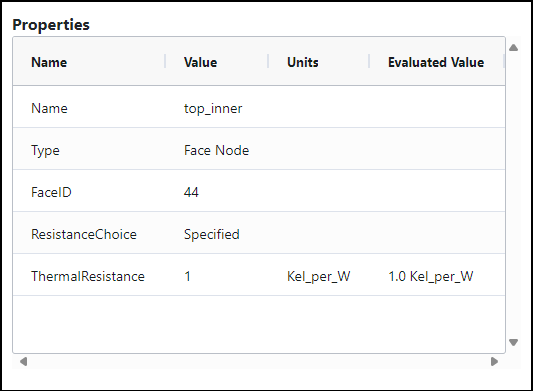
| Face Node Properties | |
|---|---|
| Name | Name allows you to specify the name of the face node. |
| Type | Type displays the type of the node. |
| FaceID | FaceID displays the node's assigned identification number. |
| ResistanceChoice | Select Compute or Specified. Specified allows you to directly specify the Thermal Resistance value if it is known. Compute uses the specified Thickness value and the specified Solid Material thermal conductivity to calculate the thermal resistance. |
| ThermalResistance | When Specified is selected, ThermalResistance allows you to directly specify the node's thermal resistance if it is known. |
| Thickness | When Compute is selected, Thickness allows you to specify the thickness of the node. Also specify the Unit of measurement. |
| Material | When Compute is selected, Material allows you to specify the node's material. |
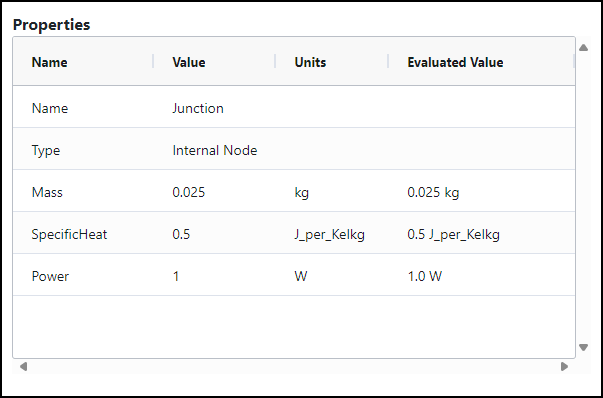
| Internal Node Properties | |
|---|---|
| Name | Name specifies the name of the internal node. |
| Type | Type displays the type of the node. |
| Mass | Mass allows you to specify the mass of the node. Also specify the Unit of measurement. |
| SpecificHeat | Specific Heat allows you to specify the heat of the node. Also specify the Unit of measurement. |
| Power | Power allows you to specify the power of the node. Also specify the Unit of measurement. |
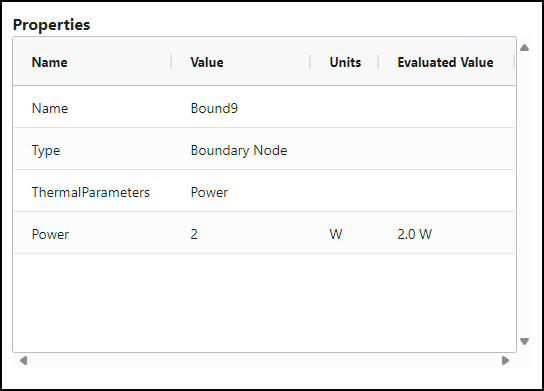
| Boundary Node Properties | |
|---|---|
| Name | Name specifies the name of the boundary node. |
| Type | Type displays the type of the node. |
| ThermalParameters | Select Power or Temperature. |
| Power | When Power is selected, specify the power of the node. Also specify the Unit of measurement. |
| Temperature | When Temperature is selected, specify the temperature of the node. Also specify the Unit of measurement. |
Network Link Properties
- Press Ctrl or Shift and select two nodes in the network editor.
- Under Create, click R Link or C Link.
- In the network editor, select the link.
- In the Properties window, edit link's properties. See the following tables for more information on link properties.
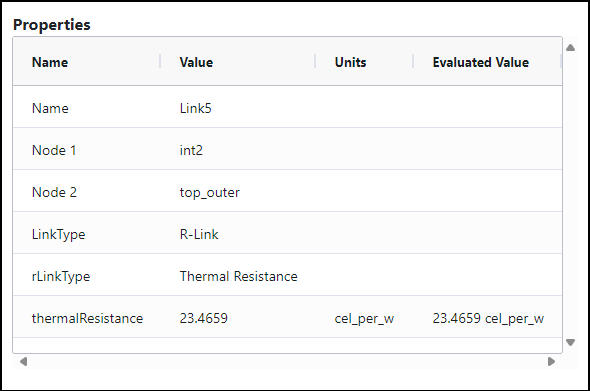
| R Link Properties | |
|---|---|
| Name | Name specifies the name of the R link. |
| Node 1/Node 2 | Node 1 and Node 2 display the names of the geometry connected by the link. |
| LinkType | LinkType displays the type of the link. |
| rLinkType | rLinkType allows you to specify whether the link type is Thermal Resistance or Heat Transfer Coefficient. |
| thermalResistance | When Thermal Resistance is selected, thermalResistance allows you to directly specify the node's thermal resistance if it is known. |
| heatTransferCoefficient | When heatTransferCoefficient is selected, HeatTransferCoefficient specifies the link's convective heat transfer. Icepak computes the thermal resistance as a  , where h is the heat transfer coefficient and a is the area of the face. , where h is the heat transfer coefficient and a is the area of the face. |
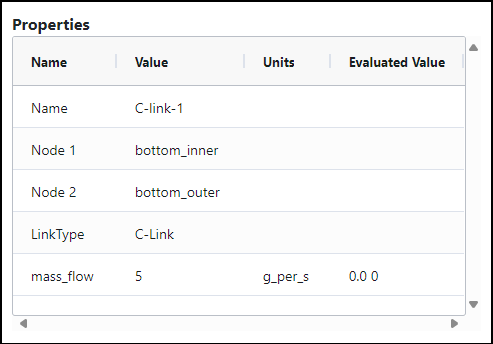
| C Link Properties | |
|---|---|
| Name | Name specifies the name of the C link. |
| Node 1/Node 2 | Node 1 and Node 2 display the names of the geometry connected by the link. |
| LinkType | LinkType displays the type of the link. |
| mass_flow | Mass Flow allows you to specify the link's mass flow rate. Also specify the Unit of measurement. |