Power Budget
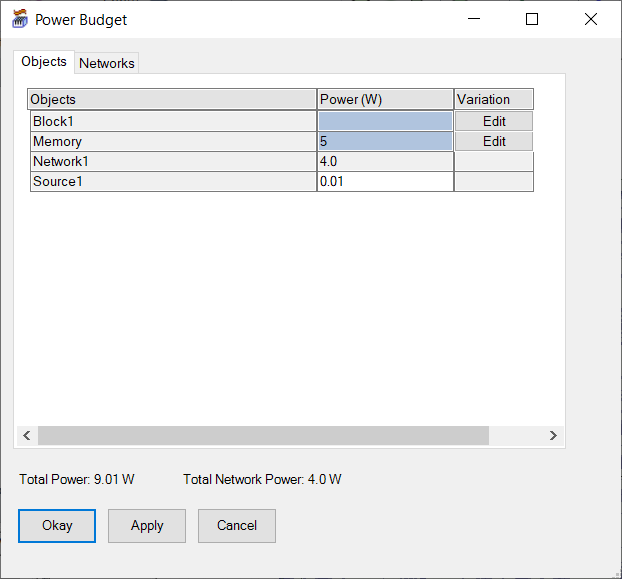
Power Budget displays each boundary condition with a power assignment as well as the total cumulative power and total network power. It also allows you to modify the values if necessary.
Note: If a source boundary condition has a Surface Flux thermal condition, the flux is converted to a power value as illustrated in the following image.
|
Objects/Networks Tabs |
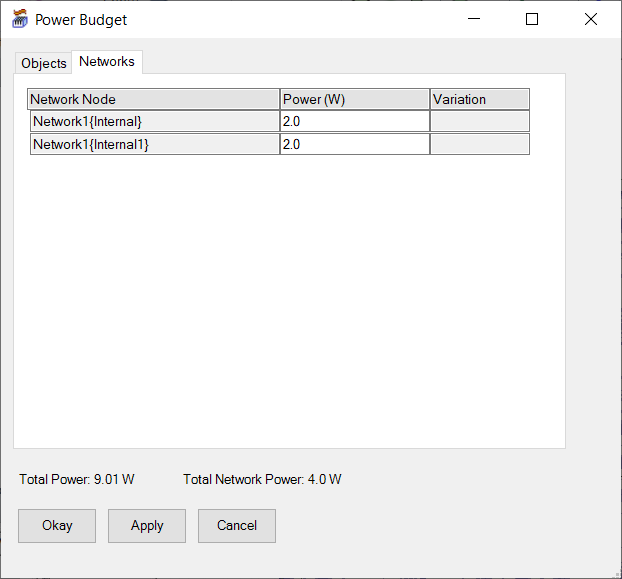
The Objects tabs shows all boundary conditions with a power assignment, including the sum of all network power assignments. The Networks tab displays only network boundary conditions with power assignments. |
| Total Power/ Total Network Power | Total Power displays the sum of power values assigned to all boundary conditions. Total Network Power displays the sum of power values assigned to only network boundary conditions. |
| Okay | Click Okay to update power values if you made changes and close the Power Budget dialog box. |
| Apply | Click Apply to update power values. |
| Cancel | Click Cancel to close the Power Budget dialog box. Any changes that were not applied are not saved. |
Variations
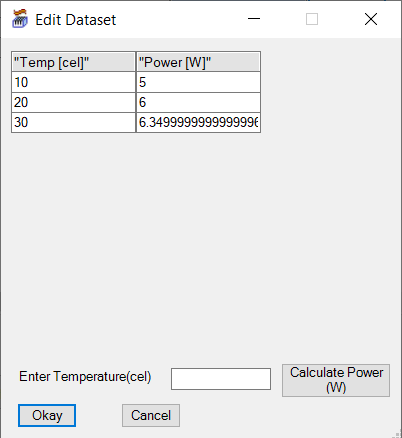
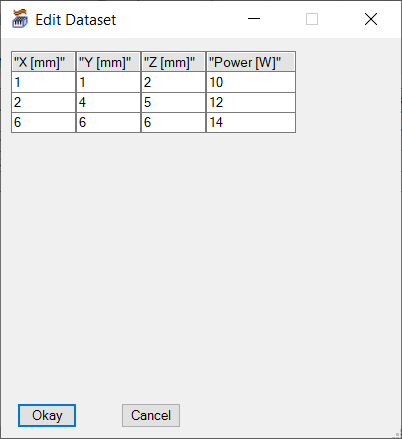
If your design contains a boundary condition with temperature-dependent dataset or spatial dataset assigned for power, click Edit in the Variation column to view and edit the dataset.
Note: To calculate a new value for a temperature-dependent dataset, enter the temperature and click Calculate Power (W).