
Performing Parameter Studies in Workbench
Workbench Parameter Sets allow you to change parameter values and units of measure, or add new parameters. Parameter data is passed back to the Ansys Electromagnetics application for updated analyses. After analysis, the Workbench Parameter table should be updated correctly for all design points.
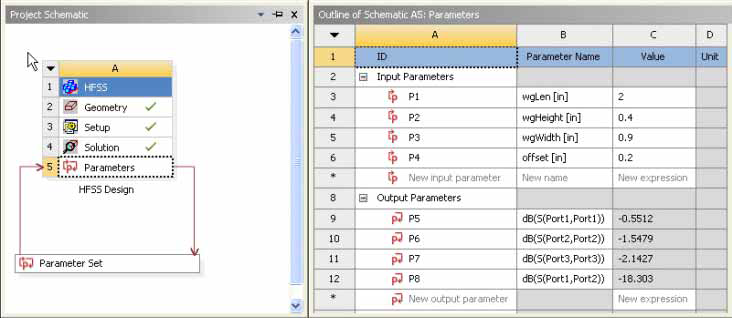
Because Workbench and Ansys Electromagnetics Desktop have different unit systems, units defined in Desktop are Dimensionless in the Workbench Parameters table and thus cannot be changed. Refer to the Ansys Design Modeler User’s Guide > Project Schematic Operations > Parameters in Project Schematic > Parameter Units topic for additional information.
Parameters from the Ansys Electromagnetics project are exposed to Workbench through the DesignXplorer setup. The Ansys Electromagnetics system's cell status on the Workbench project is updated as changes are made in the Ansys Electromagnetics application. The following example is a Mechanical, Steady-State Thermal design in which two variables have been defined. One variable (CP) is the coil power (960 mW heat generation) and the other (FC) is the film coefficient of the assigned convection boundary:
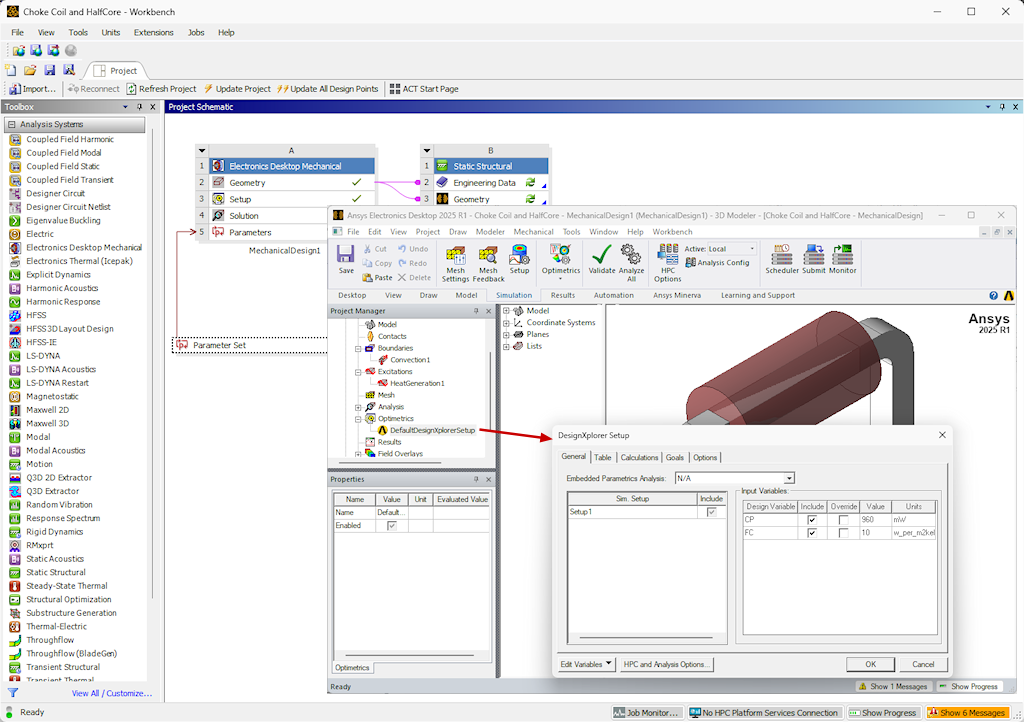
The workflow for using Electronics Desktop systems with the Workbench to take advantage of Distributed Analysis is as follows:
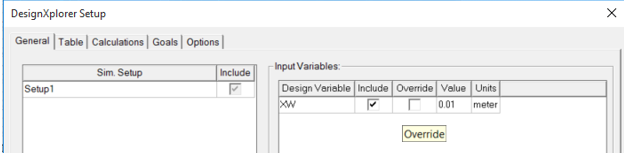
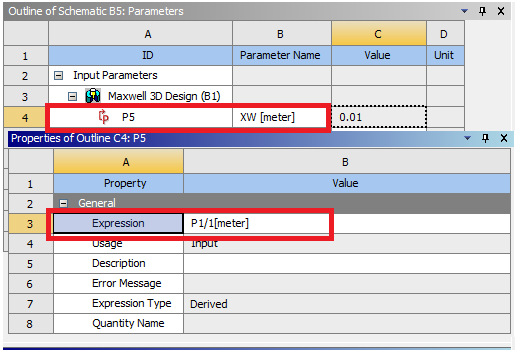
- In the Ansys Electronics Desktop, specify a variable an as input parameter. The following figure shows a DesignXplorer Setup that includes a geometry variable called XW This variable is mapped to a variable in the corresponding Workbench Design, in this example, P5.
- In the Workbench Design, change the P5 expression to a new value (in this example figure, the P5 parameter is assigned an expression of P1/1[meter] to tie it to the geometry system's variable.
- In Electronics Desktop, you can click on the default DesignXplorer Setup, and choose Generate Variation Data.
In Workbench, the Export Design Points to Optimetrics and Run Design Points Table commands are enabled.
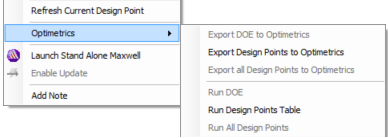
If you have configured your Analysis Configuration for multiple machines, the Project is ready for Distributed Analysis. After analysis, the Workbench Parameter table should be updated correctly for all design points.