
Setting General Options
To set general options in Ansys Electronics Desktop:
- Click Tools > Options > General Options.
The Options window opens with the Desktop Configuration options selected by default.
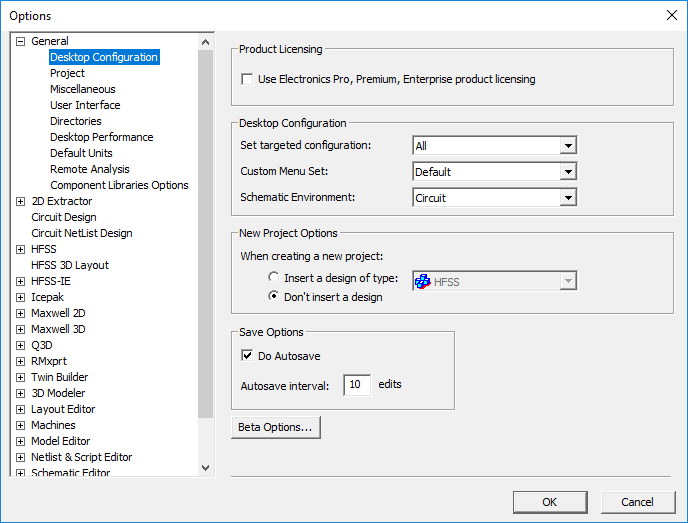
In the left pane, select the entries below General to display the associated options:
- Click each entry and make the desired selections.
- Click OK.
Note:
Not all option settings are applied immediately in the current design. Some settings take effect in newly created designs.