
Selecting Objects by Variable
You can select an object based on a variable that affects it. If your design includes variables, do so as follows:
- From the menu bar, click Edit> Select Objects> By Variable.
The Select by Variable dialog box appears, which lists the variables in your design. Both columns are sortable by clicking the header. You can resize and move the dialog box. When you next open it, it remembers that size and location.
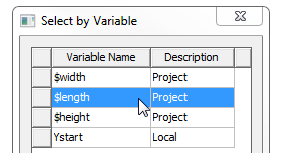
- Select the variable of interest and click OK.
The dialog box closes, and the object affected by the variable is highlighted in the Modeler window.
The Message window contains a reference that you can select and use to go to the affected object.
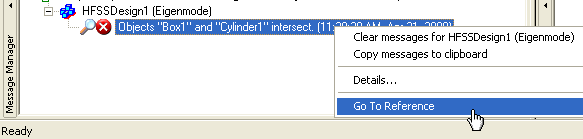
If you execute the command again, without clearing the current selection(s), the additional object can be highlighted. You can resize and move the dialog.