
Selecting a Scheduler
Access the Select Scheduler window one of three ways:
- Click Tools > Job
Management > Select Scheduler...

- Select the Simulation tab and click the Scheduler icon.

- From a command window, use the -showselectscheduler command.
The Select Scheduler window appears:
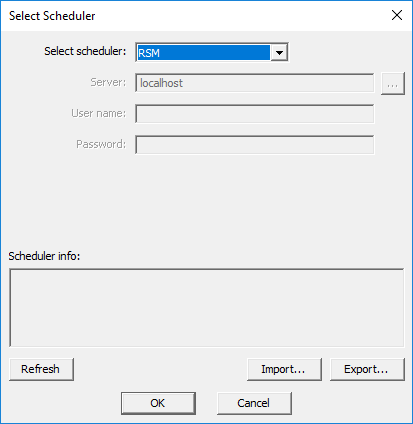
From the Select Scheduler window:
-
Use the Select scheduler drop-down menu to select a scheduler.
Note:If you select a scheduler that is unsupported in your environment, you will receive a warning message.
See HPC Integration for a list of currently supported schedulers.
- If applicable for the scheduler type, enter server and user information. If Ansys Cloud Direct or Ansys Cloud Burst Compute is selected then the “Login” button will open the default browser and prompt for login.
- Click OK to complete your selection.
Information about the selected scheduler appears in the Scheduler info field.