
To export layout data, on the File menu, select Export > NC Drill to open an explorer window. Selecting NC Drill File opens the NC Drill/Router Export window.
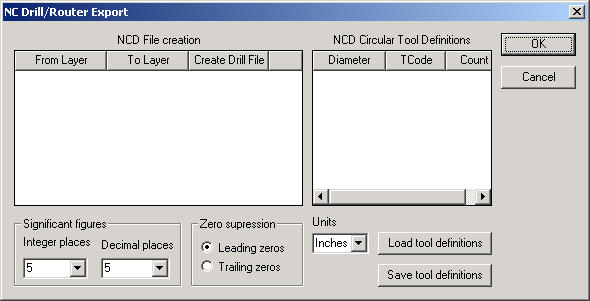
- Click Load tool definitions to load and view definitions.
- Click Save tool definitions to save definitions.
- Select the chosen Zero suppression setting.
- Select the chosen number of Significant figures for Integer and Decimal places, and click OK.