
Plotting DC IR Field Overlays
After computing a DC IR Solution, complete these steps to view DC IR field plot overlays.
Note:
All simulation results are available to view and export from General mode and IC mode, except the DC Power Tree. The DC Power Tree can only be accessed and exported from General mode.
- From the Project Manager window, expand the Project Tree and right-click Field Overlays. Then select Plot DC Fields.
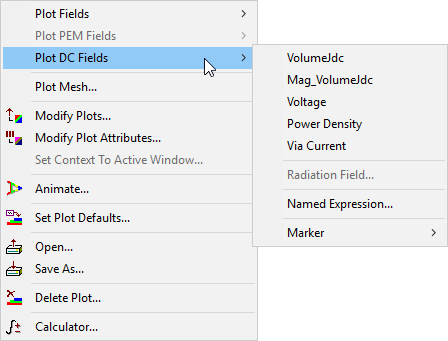
- Select the overlay type you want to view.
Menu options include the following:
- VolumeJdc – overlays the DC current density vector (in Amps/meter2).
- Mag_VolumeJdc – overlays the Magnitude of VolumeJdc.
- Voltage – overlays voltage.
- Power Density – overlays power density.
- Via Current – overlays current direction on vias.

- Specify details or use the Fields Calculator, as appropriate.
- Click Done and the selected field plot overlay appears in the Layout Editor.
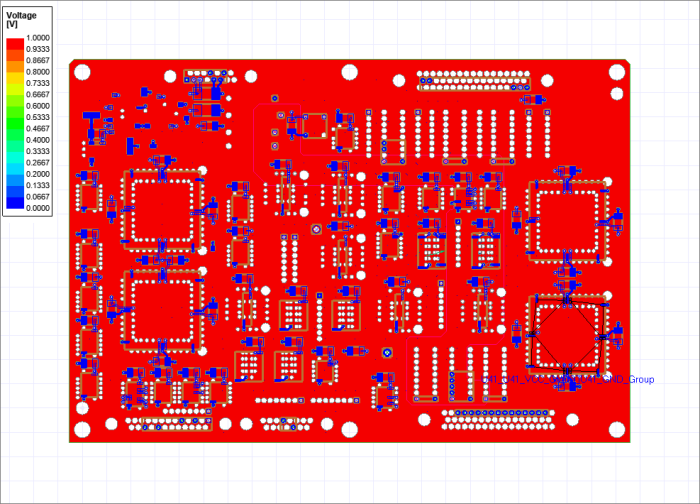
For more general information, see Plotting Field Overlays.