
A parametric N-port contains multiple values of key variables suitable for sweeping. To create a parametric N-port model:
- View the Component Libraries area, select the Symbols tab. Click Import Models.
- Select the NMF icon. The Import
Components window opens:
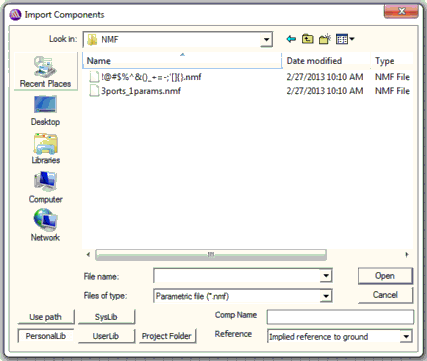
- Browse to and select the file and click Open. An instance of the component is attached to the cursor so drag and drop it into the schematic. When you are finished placing instances of the component, right-click and select Finish or press Esc on the keyboard to stop placing instances.
- Right-click the component and select Edit Model to open the Parametric N-port Model window.
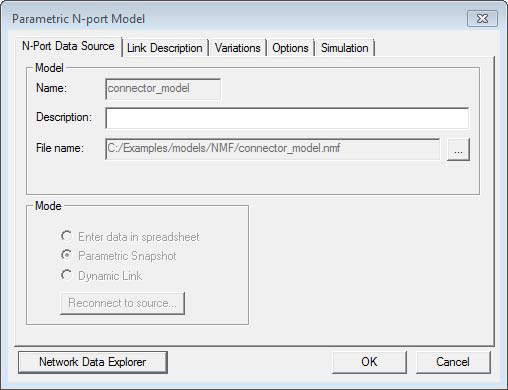
The wizard has created the N-port in Parametric snapshot mode.
- Click OK.