
Overlaying 3D Polar Plots of Near or Far Fields on Models
You can overlay existing 3D Polar Plots of near or far fields on the 3D model window by using the Overlay Radiation field dialog invoked by using the [solver]>Fields>Plot Fields>Radiation Field... command, or by right-clicking on Field Overlays in the Project tree and selecting Field Overlays>Radiation Field....
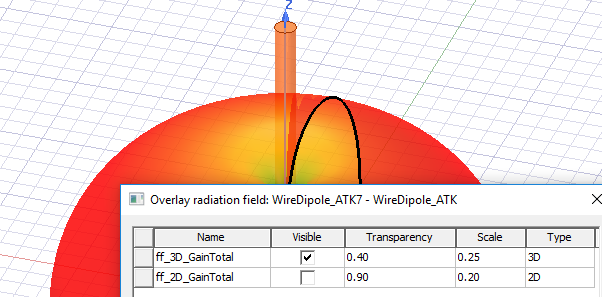
You can edit the visibility, transparency and scale of the polar plot by using the dialog.
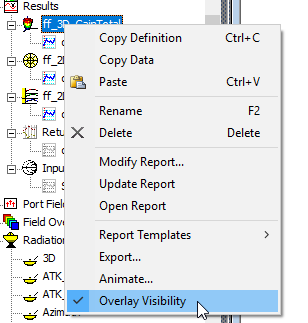
You also toggle the overlay of an existing plot by right-clicking on the plot in the Project tree and clicking Overlay Visibility on the shortcut menu.
Using the Overlay Radiation Field Dialog
For a 3D polar plot to be eligible for overlay, it must have its primary and secondary sweep from variables Phi and Theta or IWavePhi and IWave Theta in that order. If the plot is unsuitable, the Overlay commands are disabled.
- Create one or more suitable 3D Polar Plots of near or far fields for your model.
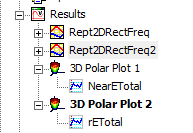
This enables the Radiation Field... command on the Plot Fields submenu.
- Click the [solver]>Fields>Plot Fields>[field] command, or by right-clicking on Field Overlays in the Project tree and selecting Plot Fields>Radiation Field...
This displays a dialog listing any existing
3D polar plots of near or far fields.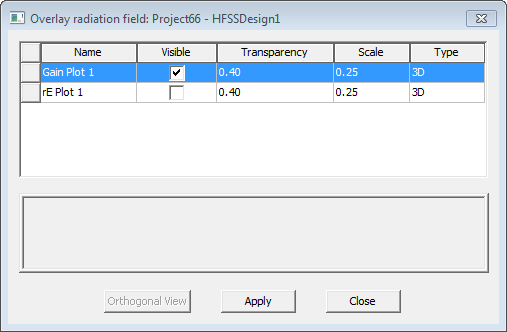
- Check the Visible box and click Apply to cause that plot to appear in the model window.
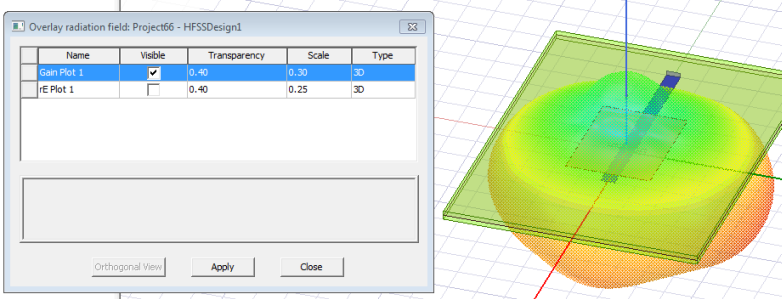
You can also edit the Transparency and Scale in the dialog box. Other properties of the 3D plot are controlled in its properties window.
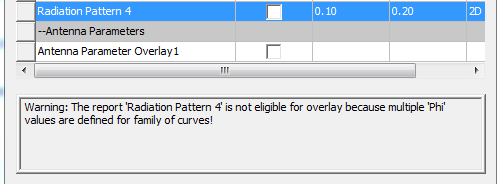
If a 3D polar plot is unsuitable for overlay, the message field provides a description of the issue.
If you have Saved Antenna Parameters for Overlay, you also use this dialog to control whether to display a table of antenna parameters. See Antenna Parameter: Save for Overlay.