
Animating VRT Plots
Visual Ray Trace (VRT) is a powerful feature available in HFSS for visualizing the ray geometry and interactions for an SBR+ simulation. VRT plot animation provides a means to dynamically explore how geometry changes or ray launch point changes affect ray generation. Compared to regular field or mesh plot animation, VRT plot animations differ in that you do not need to solve or generate a mesh before animating a VRT plot.
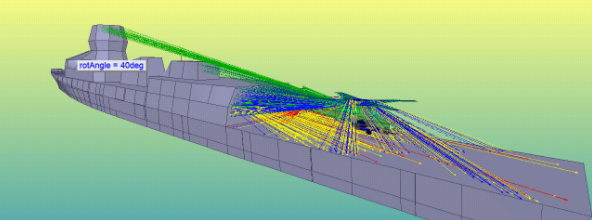
- To create a new VRT animation, either:
- Right-click a VRT icon in the Project tree and select Animate... from the short-cut menu and select New in the Select Animation dialog box.
- Click HFSS>Fields>Animate... and select New... in the Select Animation dialog.
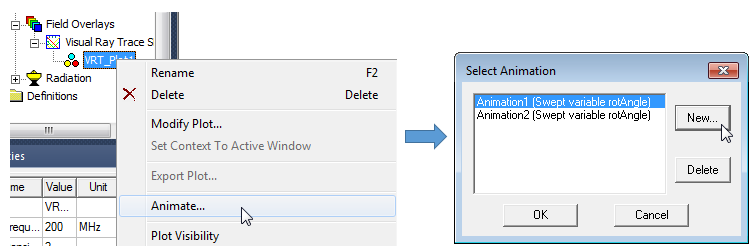
This opens the Setup Animation dialog:
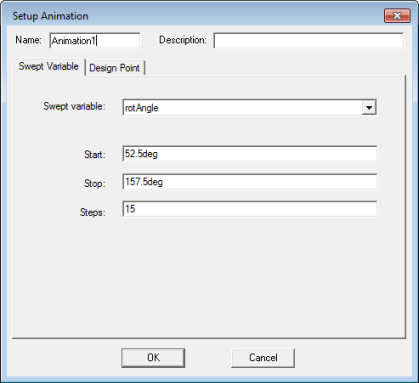
- Select the Swept variable. If multiple swept variables are available, you can select from the drop-down menu.
- Specify the Start, Stop and Steps for the animation.
- The Design Point tab has Use defaults checked. If you uncheck it, you can see a listing of design points.
- If desired, provide a name and description
- Click OK to produce the animation.
You can click Show Progress to watch the progress bars. The arrow button on the right includes an Abort command.
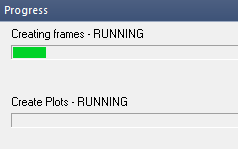
When the animation frames have been generated and the plots completed, the animation displays in the Modeler window, and the Animation control dialog appears.
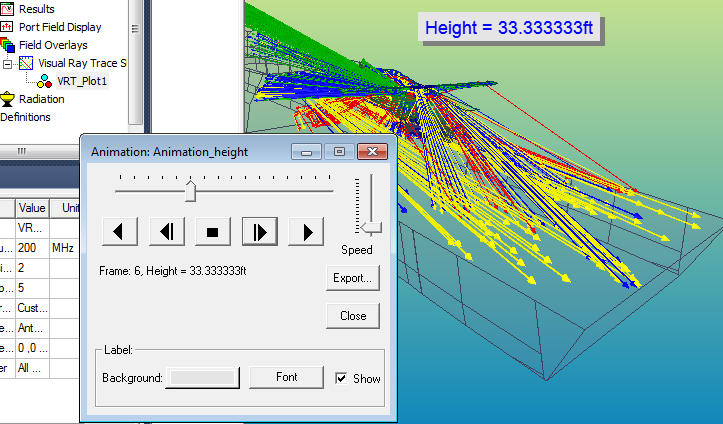
To launch an existing VRT animation, either:
- Right-click a VRT icon in the Project tree and select Animate... from the short-cut menu.
- Click HFSS>Fields>Animate... and select from any existing animations listed