
Spatially Dependent Boundaries
HFSS supports spatially dependent materials, that is, materials whose properties change over their length. Consider a long rectangular sheet object that lies on the XY plane along the Y axis.
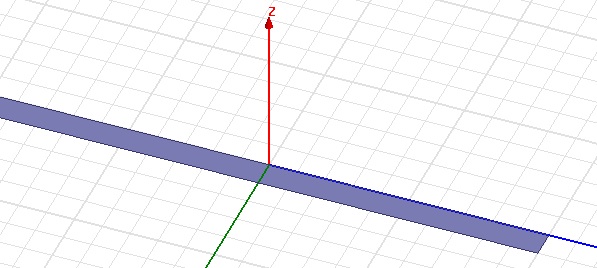
To assign Finite Conductivity such that the boundaries are spatially dependent follow these steps:
- Select the line as shown in the figure below.
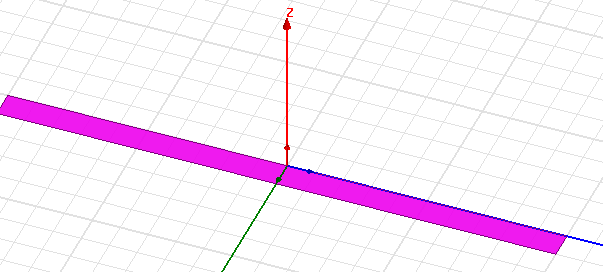
- Right-click anywhere in the modeler and select Assign Boundary > Finite Conductivity as shown below.
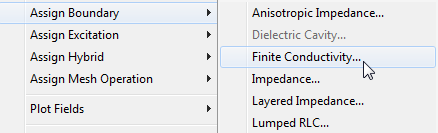
This causes the Finite Conductivity Boundary dialog box to appear as shown below.
- Type the expression in the Conductivity field to include the spatially dependent material properties of the sheets. For example, in this design,
the Conductivity field has the following expression: $sigma0*(1.0 + $beta*abs(y)), where $sigma and $beta are the predefined project variables and y specifies the local y co-ordinate associated with the sheet.
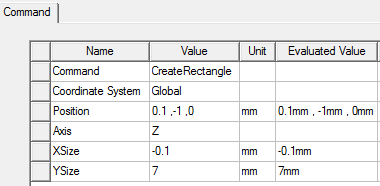
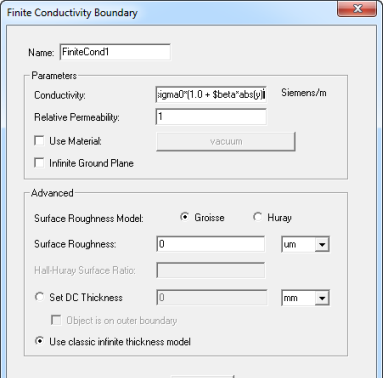 Note: Whatever model units you define, specify the expression in the Conductivity field in SI units. To verify the Coordinate System associated with the sheet, double-click the Create Rectangle command associated with the object from the History Tree to open the Attribute window as shown below.
 Note: The spatial dependency can only be expressed in Cartesian coordinates.