Frequency Dependent Far Fields
For frequency-dependent far field links, the data is supplied in blocks. The syntax for a frequency dependent far field uses the following format.
thetaStart, thetaStop, count (specified as degrees, degrees, integer, for example, 0,180,2
phiStart, phiStop, count (specified as degrees, degrees, integer), for example, 0,360,5
frequencies count (specified as string, integer), for example, frequencies 3
frequency freq (specified as string, double), for example, frequency 3.0e9
Then for each point,
real F(theta), imag F(theta), real F(phi), imag F(phi), that is, 4 doubles, for example, 0.0,0.0,0.0,1.0
Then the rest of the points
Then the rest of the frequencies
If the infinite sphere setup is not Theta-Phi (CS definition in the infinite sphere dialog) then theta is in reverse order.
Data File Example
See the sample data file below.
0,180,2
0,360,5
frequencies 3
frequency 3.0e9
0.0,0.0,0.0,1.0
0.0,0.0,0.0,1.0
0.0,0.0,0.0,1.0
0.0,0.0,0.0,1.0
0.0,0.0,0.0,1.0
0.0,0.0,0.0,1.0
0.0,0.0,0.0,1.0
0.0,0.0,0.0,1.0
0.0,0.0,0.0,1.0
0.0,0.0,0.0,1.0
frequency 6.0e9
0.0,0.0,0.0,2.0
0.0,0.0,0.0,2.0
0.0,0.0,0.0,2.0
0.0,0.0,0.0,2.0
0.0,0.0,0.0,2.0
0.0,0.0,0.0,2.0
0.0,0.0,0.0,2.0
0.0,0.0,0.0,2.0
0.0,0.0,0.0,2.0
0.0,0.0,0.0,2.0
frequency 9.0e9
0.0,0.0,0.0,3.0
0.0,0.0,0.0,3.0
0.0,0.0,0.0,3.0
0.0,0.0,0.0,3.0
0.0,0.0,0.0,3.0
0.0,0.0,0.0,3.0
0.0,0.0,0.0,3.0
0.0,0.0,0.0,3.0
0.0,0.0,0.0,3.0
0.0,0.0,0.0,3.0
The syntax and their values are as follows:
- 0, 180, and 2 are the values of ThetaStart, ThetaStop, and ThetaNumPoints in the first line.
- The values 0, 360, and 5 do the same thing for Phi.
- NumFrequencies represents the number of blocks defined in the data file. In this example, 3 frequency blocks are defined.
- FrequencyValue represents the value of frequency for which you supply the far field data. In the Data File Example, FrequencyValue is as follows:
- 3.0e9 Hz for the first block;
- 6.0e9 Hz for the second block;
- 9.0e9 Hz for the third block.
HFSS supports only the discrete sweep type for Far Field (and Near Field) data links. The frequencies defined in the sweep must be consistent with the frequencies specified in the data file. If not, an error message will pop up. So make sure that all the frequencies that you supply in the data file are consistent with those in the Frequency Setup section of the Edit Frequency Sweep dialog box. For example, based on the Frequency Setup shown below in the target project HFSS will expect to find data for 3GHz, 6 GHz, and 9 GHz in the data file. Also, the Solution Frequency in the Solution Setup should match one of the frequencies in the data file and the sweep if the project type is HFSS in the target design. Also, the frequency blocks can appear in any order in the data file.
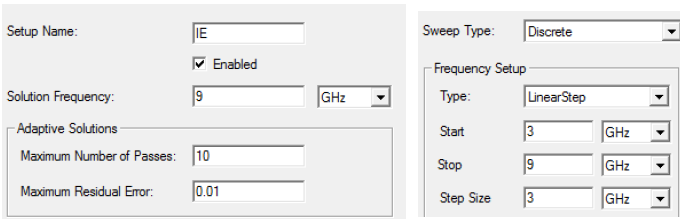
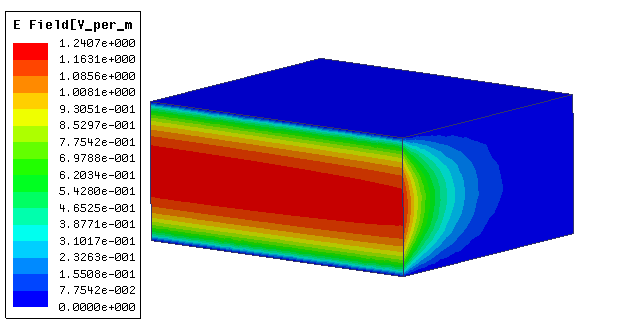
The sample frequency dependent data file was used to apply far field on an open ended WR-90 waveguide. The frequency sweep shown was used to simulate it. The results for the E-field at 9 GHz are shown below.