
Design Settings for HFSS Transient
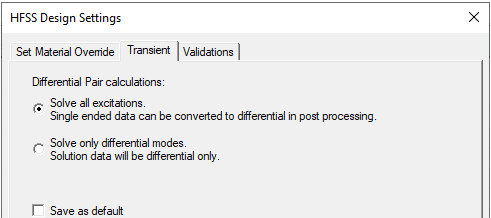
The HFSS>Design Settings command displays a dialog with tabs for Set Material Override, Transient, and Validations. The Transient tab includes options for Differential Pair calculations.
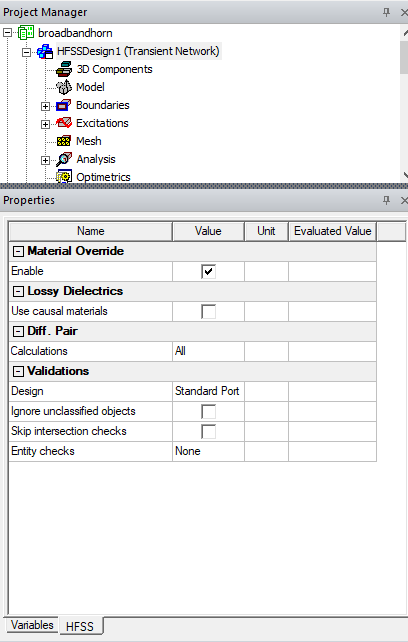
You can also view and set Design Settings for HFSS Transient by selecting the design in the Project tree, and selecting the HFSS tab on the Properties window.
Set Material Override Tab
The Set Material Override tab includes text note and a check box to Allow metals to override dielectrics. The purpose of this feature is to allow you to avoid doing explicit subtraction in the modeler. One example application is a via that passes through many dielectric layers--with the option turned on, the via does not have to be subtracted from the layers.
The Set Material Override option allows some intersections to be resolved automatically in the mesh. If metal intersects dielectric, the metal overrides the dielectric in the overlap region. (That is, the metal object is subtracted from the dielectric.) If objects with the same material overlap, the small object overrides the larger. (That is, the small object is subtracted from the larger.) All other intersections are treated as errors. Normally, the modeler considers any intersection between 3D objects to be an error.
To use this feature, check Enable material override.
In the meshing process, the dielectrics are locally overwritten by the metals in the intersecting region. That is, the part of the dielectric that is inside the metal is removed, and if the dielectric is completely inside, the whole object disappears.
Transient Tab
If your design contains differential pairs, you can select whether to solve all excitations so that single-ended data can be converted to differential in post processing, or to solve differential modes only.
Validations Tab
The Validation tab offers choices for Model validation and HFSS validations to control the extent of validations performed, and therefore the time involved.
Model Validation choices are whether to:
- Ignore unclassified objects
- Skip intersection checks
You also control the Entity check level as Strict, Basic, Warning Only, or None.
The HFSS choices are whether to:
- Perform full validations with standard port validations. Standard validation does not check for internal or floating ports.
- Perform full validations with extended port validations. The Extended validation checks to see if a wave port has been applied to an internal face, or if a wave or lumped port does not have solve inside geometry on either side.
- Perform minimal validations. This choice disables port validation options (neither is performed), and skips boundary overlap validation.
The default is to Perform Full Validations. However you can set your own default choices by using the Save as Default check box.