
5G Wizard: Setup
For Project and Design, the HFSS 5G ACT Wizard automatically selects from currently open projects and designs. If necessary, you can use drop down menus to select from listed options.
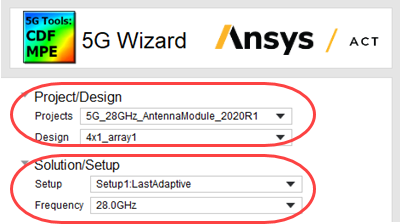
For Solution Setup, the Wizard selects from currently solved solutions. Only solved points with saved fields are selectable.
Note: Menu items will not refresh dynamically, exit wizard and reopen if something has changed in your desktop environments. For example, if you open a new project, complete a solution, or add a geometry, the menu items will not refresh until the 5G Wizard toolkit is reopened
It is recommended that no reports, or field plots exists when calculating PD or CDF. Existing reports may need to be updated many times and will slow down calculation