
Generate an Analysis Report
To view your simulation data, create a report. A wide variety of report types can be created in Electronics Desktop. To create a report, right-click Results in the Project Manager window and select the type of report you want to create.
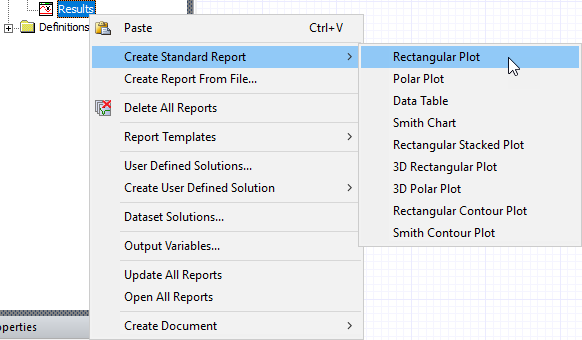
A Report creation window appears letting choose parameters to plot and functions to apply.
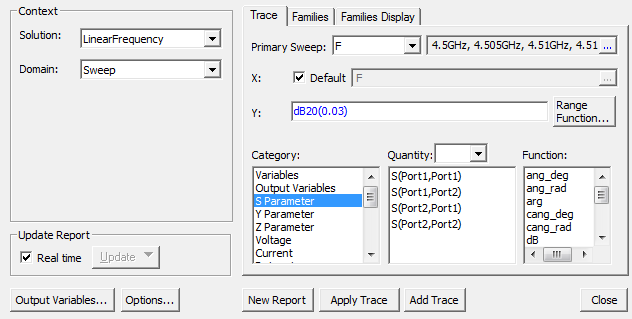
- You can select more than one quantity at a time if you wish to plot several results on the same graph.
- Click the ApplyTrace or AddTrace buttons to change your plot, if appropriate.
- Click NewReport to create the report.
- Close the Report creation window if you are happy with the result.
A wide range of customization options are available for the generated plot.
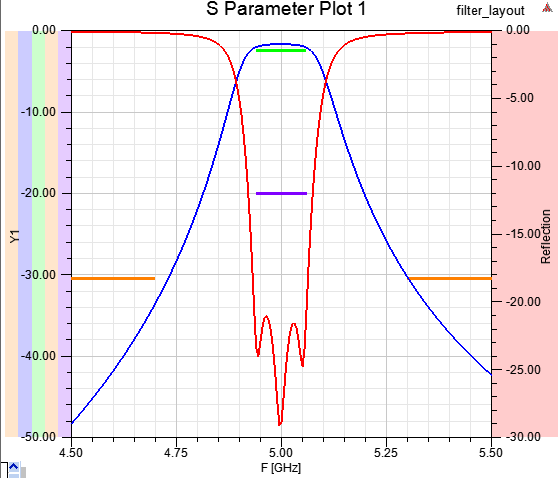
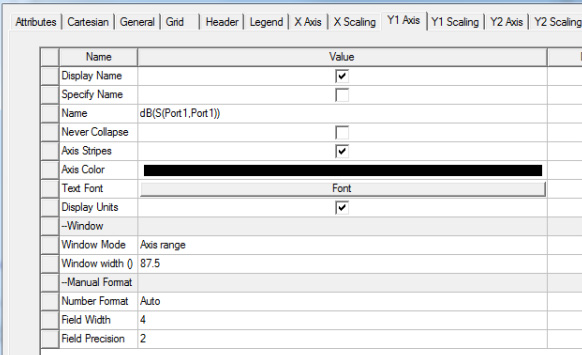
Click on different parts of the report, or click on traces in the Project Manager window, to change properties in the Properties window. For example, clicking the Y axis in the report window gives the following options. Clicking different parts of the plot yields different options.
This concludes the demonstration of the overall framework for using Electronics Desktop for circuit and system analysis.