
System Frequency Domain Analysis: Mixer Data
This example demonstrates System Frequency Domain analysis of a behavioral MIXER element with mixer spurs data from a NMF file. The schematic and data file for the example are available in the Examples directory.
Open the project on the Examples directory.
- From the File menu, select Open Examples to open an explorer window.
- Open the Electronics Desktop directory, then Circuit, then RF_Microwave, the System directory, then select the file System_FD_Mixer_Data_Example.aedt. Click Open.
- The Examples directory is write-protected. Use File>Save As to save the example project to a directory where you have write permission. A Handle Project Directory Files window opens showing you the supporting model files that is copied along with the project. Click OK.
- The schematic opens in the design window:
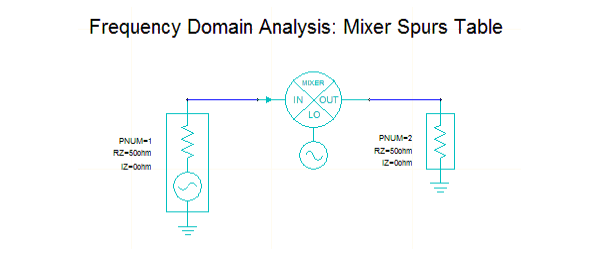
- Select the MIXER component to display its properties. The mixer reads the mixer spurs data from a data file, NMFSpurTable.nmf (file property).
- Expand the Analysis folder, right-click and select Analyze (you may need to use Force Analysis).
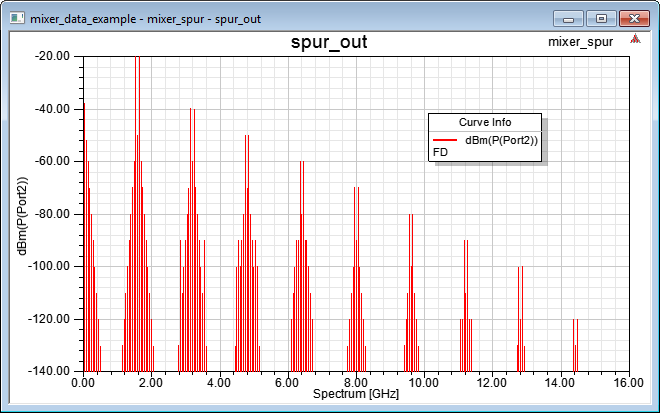
- When the analysis is complete, expand
the Results folder and click the spur_out report to see the
spectral distribution of the mixer spurs output.
- Click File>Save to save the project.
For more information, see System Frequency Domain Analysis.