
Adding Noise Data to a Port Source
Current and voltage interface port sources in schematics can specify the noise data for the noise analyses. Port power sources do not have the noise data parameter. To specify noise data, click in the Noise Value field on the Parameters tab of the Source Selection window for the current or voltage source. The Noise Data List window opens:
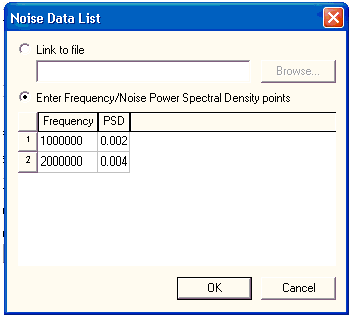
The default selection is Link to File. To use data from a file of noise data, click Browse ... to open the Select File window.
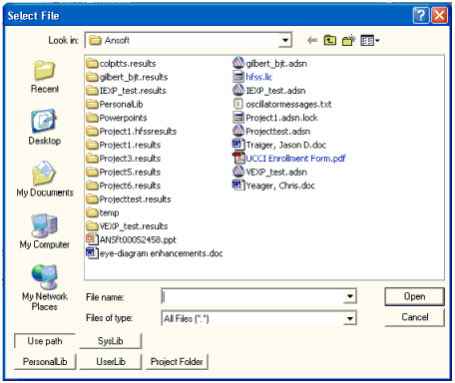
Click the Look in field to specify a directory, or locate the file by clicking Use Path, PersonalLib, UserLib, or SysLib. Within the folder, select the file from those listed, or type the name of the file in the File Name box.
- If you select Use path, type the name of the file in the File Name group box, or Click the Look in field to navigate to the file and record its name. Note that components or libraries imported with Use Path may not be portable when the project is moved to another machine.
- When In project folder is selected, references to the file in the design are relative to the directory where the project resides. In this case, the path is saved in the project .adsn file as a variable such as:
.lib '$PROJECTDIR/x_113854.lib'
- The variable $PROJECTDIR is expanded to the current location of the project when the design is converted to a netlist and run by an analysis tool. Otherwise, an absolute path is saved. If you move a project and its library files together to a new directory, preserve the file references by selecting the Project Folder option.
- The frequencies are in Hz and the corresponding noise power spectral densities are in Amp2/Hz.
- To enter the noise data directly, click Enter Frequency/Noise Power Spectral Density points. Enter the frequencies (in Hz) and the corresponding PSDs (in Amp2/Hz). Press Tab to advance to the next field.
- When all the noise data is as appropriate, click OK to close the Noise Data List window and return to the Source Selection window.
Noise data files have the format:
#Hz
freq1 psd1
freq2 psd2
.
.
.
SysLib is reserved for libraries supplied with Electronics Desktop.