
Editing All N-Port Symbol Bus Pins
To edit the pins on the symbol for an N-Port, State-Space N-port, or Parametric N-Port component, right-click the component and select Edit Symbol Bus Pins. The Edit Symbol Pins window opens:
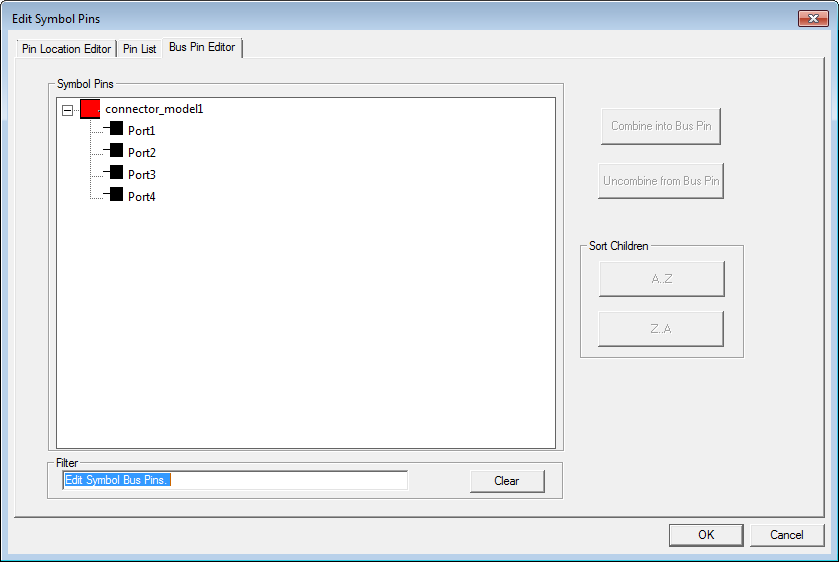
The N-port data window reads the file you specify for port information and updates the Bus Pin Editor tab display with port names.
Click Pin List tab:
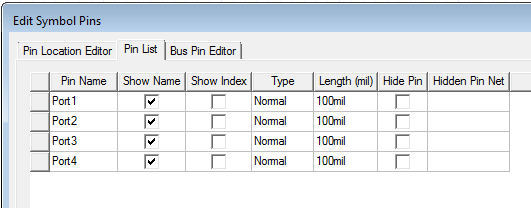
You can control the display of the pin information (name, index, hidden) with the check boxes.
Click Pin Location Editor tab:
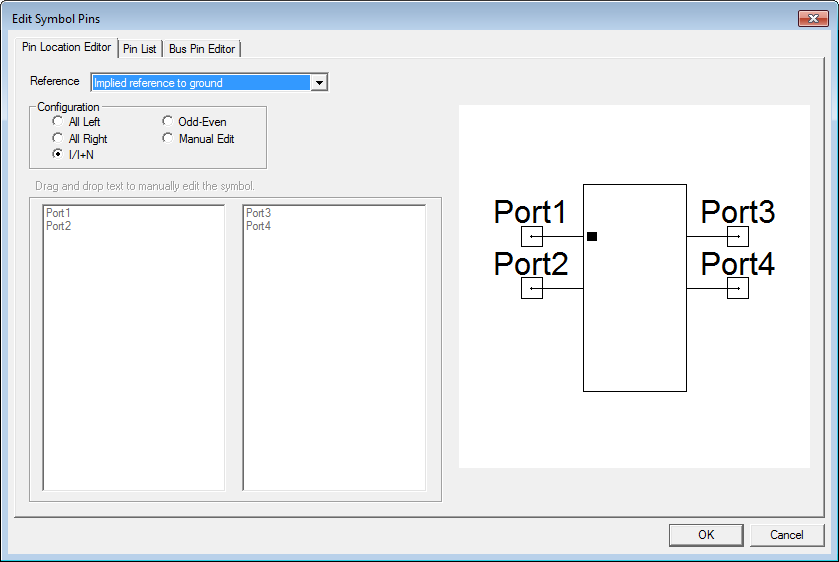
You can use the following controls to position pins on the symbol:
- Reference: This drop-down menu allows you to select on the following reference node options:
— Implied reference to ground
— Show common reference port
— Add individual hidden reference pin per port
— Add individual reference pin per port
(See “Reference Nodes on S-Parameter Elements” in the S-parameter Technical Notes topic for details on how the Circuit solver handles reference node configurations.
- Configuration: The pin direction option may be set to one of the following:
— All Left
— All Right
— I/I+N
— Odd-Even
— Manual Edit
If you select Manual Edit, use the windows at lower left to Drag and drop text to manually edit the symbol.
Click OK.