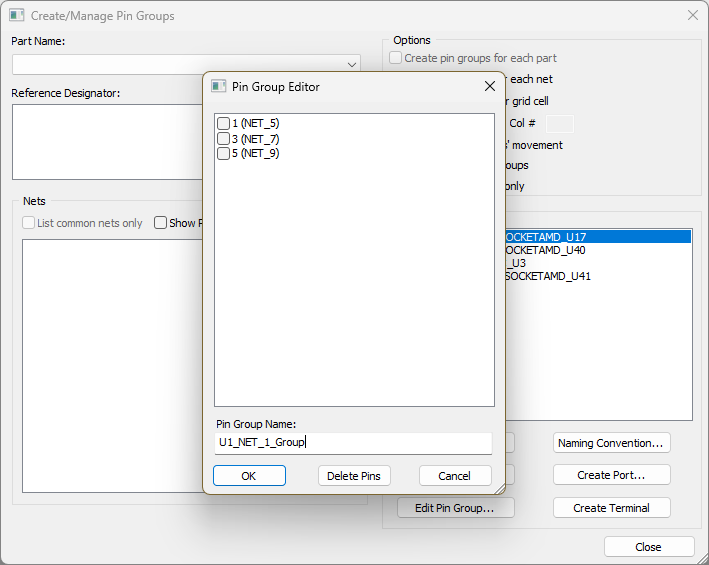
Creating a Sample Pin Group, Step 3: Create a Pin Group
Perform the following steps:
- From the Modeling workspace, select the component, right-click and select Create/Manage Pin Groups from the menu.
- From the Nets area, use the check boxes to select the two nets.
- From the Options area, ensure that Create pin groups for each net is checked.
- Click Create Pin Group.
The Create/Manage Pin Groups window appears.
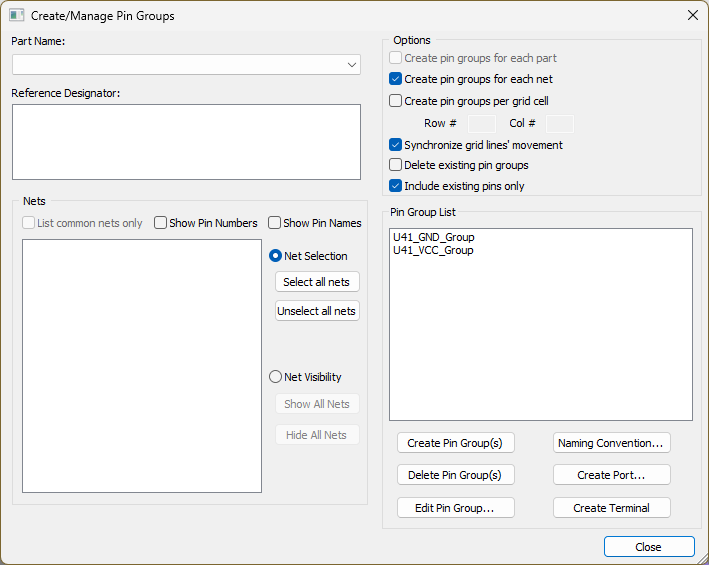
Two pin groups are created: U1_NET_1_Group and U1_NET_2_Group.
They appear in the Components workspace under Pin Groups.
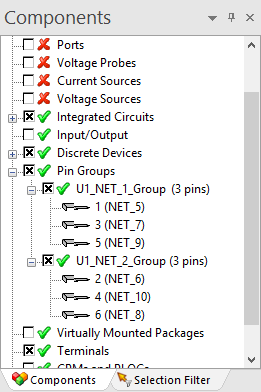
To edit pin groups:
- From the Components workspace, right-click a pin group and select Edit Pin Group.
- Select and delete pins or rename the pin group. Then click OK.
The Pin Group Editor window appears.