
Special Selection between Nets or Components
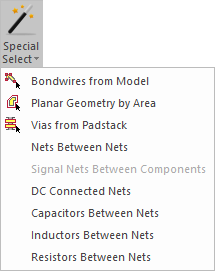
SIwave can automatically select:
- Nets routed between two or more selected components
- Nets that are connected through RLC elements
- Active capacitors, inductors, or resistors between nets
SIwave also allows you to generate summary reports of net connectivity in HTML format.
To perform automatic selections:
- Select two or more nets (or components, if you are searching for nets routed between components).
- Click Home.
- From the Selection area, use the Special Select drop-down menu to make your selection.
The relevant nets or components are selected, and highlighted in the Modeling workspace.
To generate a net connectivity report:
- Select a net.
- Click Advanced. From the Other Edit Tools, click Export Connection Report.
The Save As window opens. You can name and save the HTML file.