Network Data Explorer – Smoothing
To access data smoothing options from the ribbon, click Smoothing:

The Smoothing window appears.
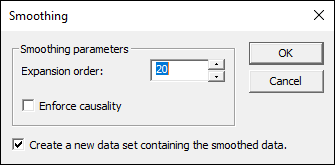
- The Smoothing Parameters area allows you to choose the Expansion Order. This can be any discrete value between 1 and 150.
- If appropriate, check the Enforce Causality check box.
- If appropriate, check the Create a new dataset containing the smoothed data check box. If selected, the smoothed data appears alongside the original data.
- Click OK.
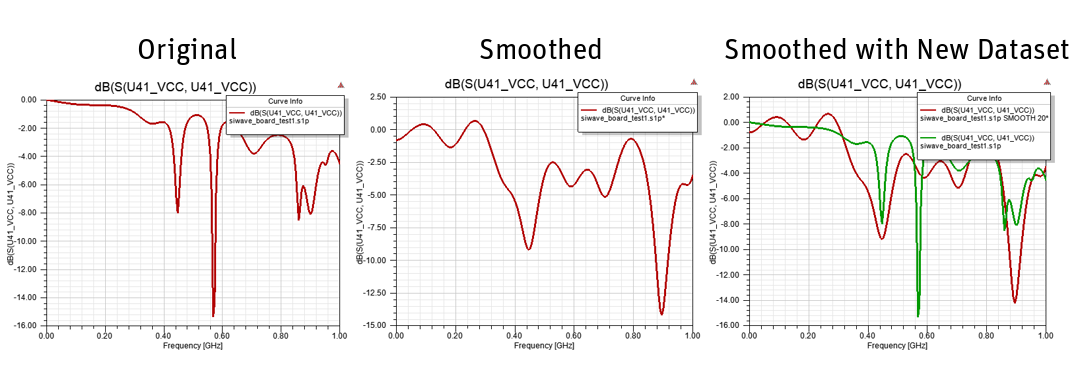
The Data View Pane updates. The following image shows a plotted result with Create a new dataset containing the smoothed data unchecked and checked.