
Using the Renormalization Utility
The Renormalization utility enables you to change the reference impedances for each port in your design.
To access the Renormalization utility from SUtility:
- Select the project file.
- Click Utilities > Renormalization.
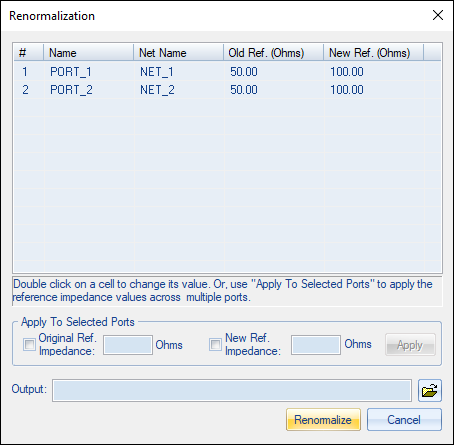
The Renormalization window appears, showing the list of ports.
To run a renormalization:
- Change the port or net name: double-click a cell and enter the new name.
- Change the reference impedance for any ports: double-click a the cell and enter the new value.
- To change the values for multiple ports, specify values in the Apply To Selected Ports box. Then click Apply.
- Browse to select an Output file name and destination.
- Click Renormalize to start the analysis.
The results are loaded and plotted in the main SUtility window.