
Using the Port Tools Utility
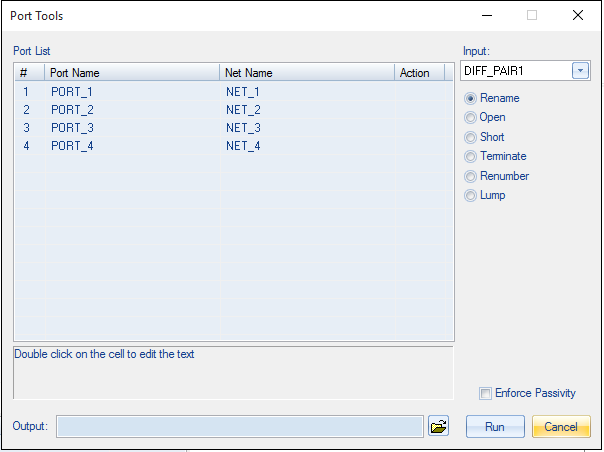
The Port Tools utility helps you rename, open, short, terminate, renumber or lump ports.
To access the Port Tools utility from SUtility:
- Select the project file.
- Click Utilities > Port Tools.
- Select port(s) from the Port List.
- Use the radio buttons to select an appropriate operation.
- If appropriate, check Enforce Passivity to enforce the passivity of the result.
- Browse to select an Output file name and destination.
- Click Run to perform the operation.
The Port Tools window appears.
The results are loaded and plotted in the main SUtility window.