Net Options
To set the net options:
- Click Home > Options.
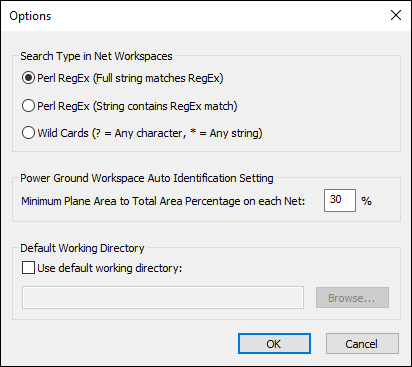
- From the Search Type in Net Workspaces area, select between Perl RegEx (full string matches RegEx), Perl RegEx (string contains RegEx match), and Wild Cards.
- From the Power Ground Workspace Auto Identification Setting area, select the minimum plane area to total area percentage on each net. The default is 30%.
- Click OK.
The Options window appears.