Network Data Explorer – Saving or Restoring Default Settings
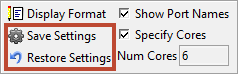
To save field settings as the default, click Save Settings. The next time Network Data Explorer is opened, the chosen settings will be selected by default.
To restore the original defaults, click Restore Settings. The next time Network Data Explorer is opened, the original settings will be selected by default.