Using the Impedance Extractor
The Impedance Extractor calculates the characteristic impedance for the transmission line defined by the specified port pair.
To access the Impedance Extractor from SUtility:
- Select the project file.
- Click Utilities > Impedance Extractor.
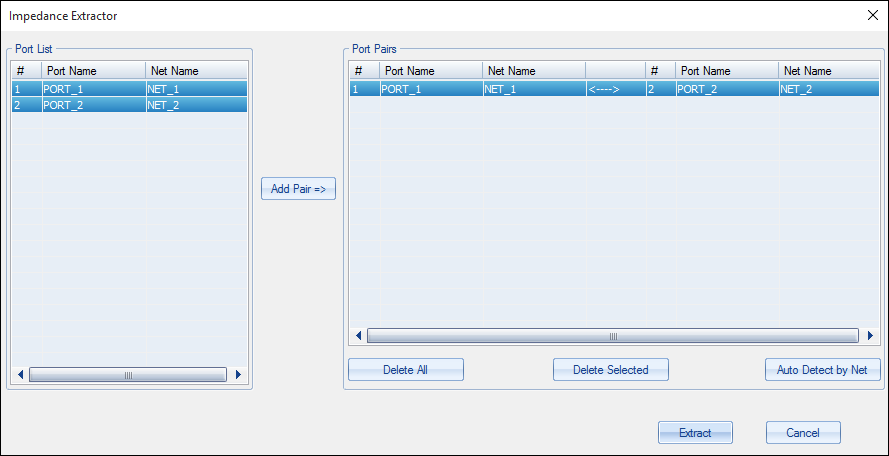
The Impedance Extractor window appears.
To run the analysis:
- Select two ports from the Port List.
- Click Add Pair to apply the pairing.
- Alternatively, click Auto Detect by Net to automatically generate ports.
-
Click Extract to start the analysis.
The Port Pairs box updates to reflect the new pairing.
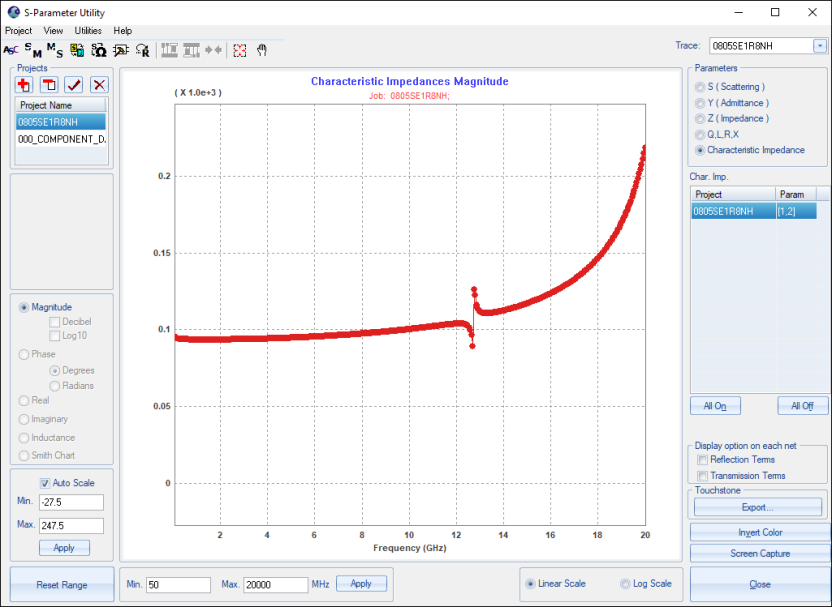
The results are loaded and plotted in the main SUtility window.