
Editing Traces
Complete these steps to edit an existing trace.
- Click Advanced > Trace/Bondwire. to open the Edit Trace window.
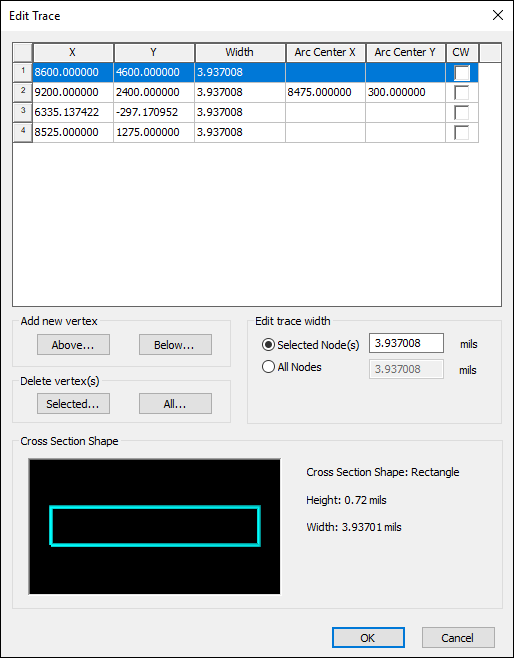
- Double-click a cell to modify the X, Y, Width, Arc Center X and Arc Center Y values. Use the CW check box to specify the trace as clockwise.
- From the Add new vertex section, click Above or Below to add a vertex above or below the selected row.
- From the Delete vertex(s) section, you can delete the selected row(s) or all rows.
- From the Edit trace width section, use the radio buttons to select either the Selected Node(s) or All Nodes. You can then change the width in mils.
- Click OK to save your changes.