
Defining Equipotential Regions
The DC IR drop solver uses equipotential regions to force equal voltage across a specified region, including specified pads.
To define equipotential regions:
- Click Home. From the Draw Geometry box, click the Define Equipotential Regions icon (
 ).
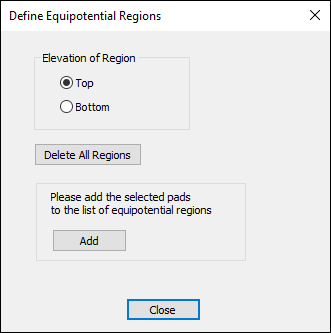
). - From the Elevation of Region area, choose whether to draw the region at the Top or Bottom.
- If appropriate, click Delete All Regions to erase any previously defined regions.
- If appropriate, click Add to add selected pads to the list of equipotential regions.
- Click Close to end the definition.
The Define Equipotential Regions window appears.
The cursor is activated to draw a rectangle.