DC IR Results Menu Options
Navigate to the DC IR Results menu:
- Click Results.
- From the SIwave area, select DC IR > [Simulation Name].
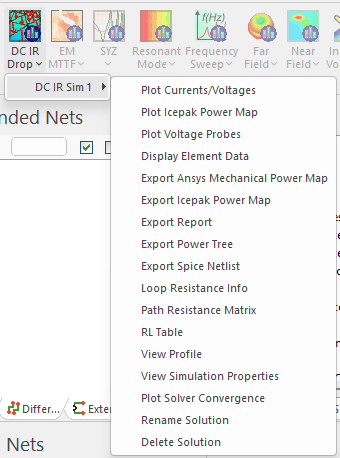
Menu options include:
- Plot Currents/Voltages – see Viewing DC IR Results.
- Plot Icepak Power Map – see Viewing DC IR Results.
- Plot Voltage Probes – see Viewing DC IR Results.
- Display Element Data – see Viewing DC IR Results.
- Export Ansys Mechanical Power Map – see Exporting DC IR Information.
- Export Icepak Power Map – see Exporting DC IR Information.
- Export Report – see Exporting DC IR Information.
- Export Power Tree – see Exporting DC IR Information.
- Export Spice Netlist – see Exporting DC IR Information.
- Loop Resistance Info – see Viewing DC IR Results.
- Path Resistance Matrix – see Viewing DC IR Results.
- RL Table – see Viewing DC IR Results.
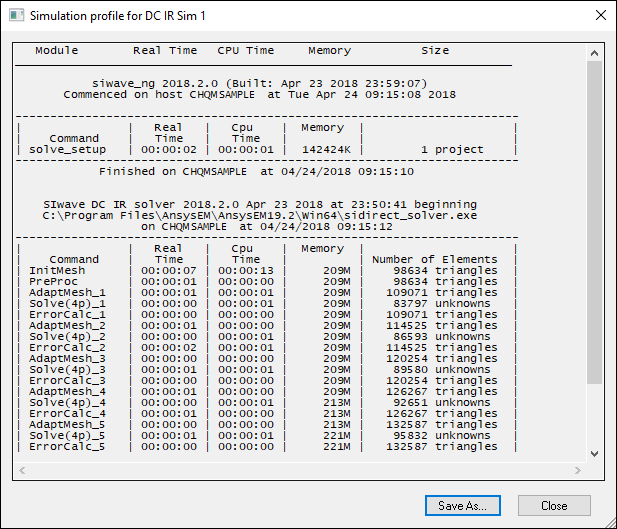
- View Profile – opens the simulation profile.
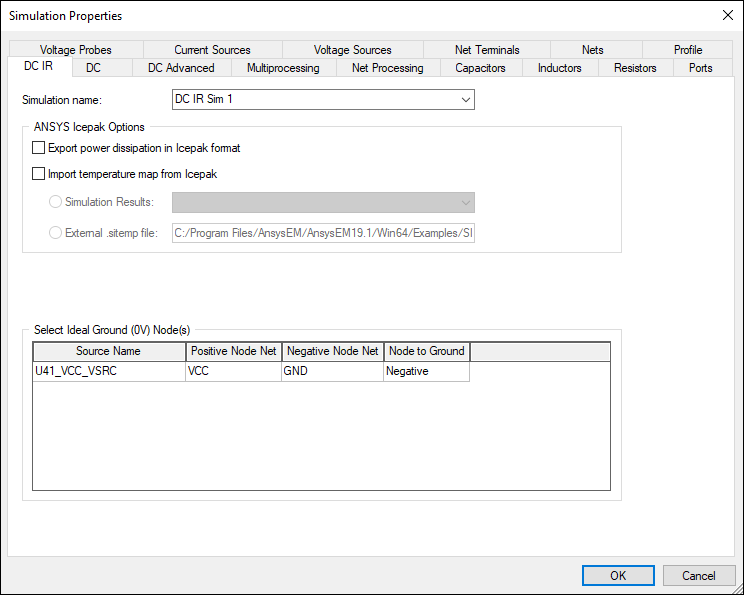
- View Simulation Properties – opens the Simulation Properties window on the DC IR tab.
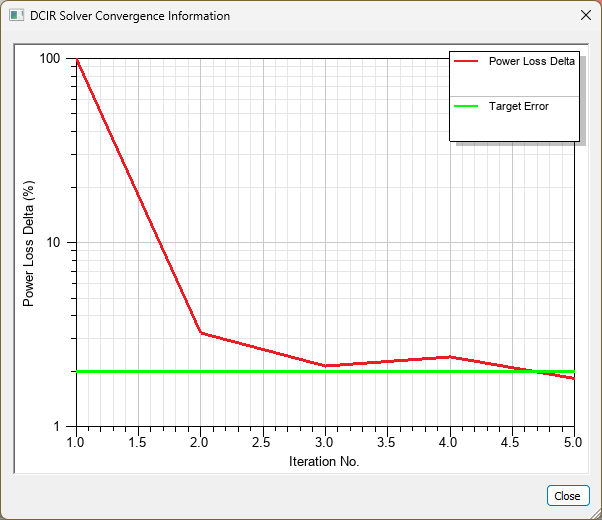
- Plot Solver Convergence – opens a window displaying DCIR solver convergence in a 2D AnsPlot.
- Refinement Statistics – opens a window displaying power loss statistics.
- Rename Solution – allows the user to rename the solution.
- Delete Solution – deletes the solution.
- Provide an option to plot DCIR solver convergence in a 2D (AnsPlot) graph
Simulation Profile:
Simulation Properties:
DCIR Solver Convergence Information Window: