
Cosimulation using SI Wizard
SI Wizard initiates a cosimulation with Ansys Electronics Desktop Circuit/Schematic from SIwave. By default, SI Wizard uses a netlist that is opened in Ansys Electronics Desktop. You can also use an Ansys Electronics Desktop-SIwave dynamic link. The SI Wizard automates the creation of pin groups for power/ground pins and adds ports on the signal and power nets. The selected nets are given ports and buffer models and set up as netlist or S-parameter dynamic link N-ports in Ansys Electronics Desktop. The results show the time domain voltage waveforms at drivers, receivers, and power supply pins of all buffers, including eye diagrams.
Unless the design includes a dynamic link (e.g., a Circuit netlist, Touchstone, or State Space file), any ports generated during cosimulation are deleted after a solution is generated.
Before starting SI Wizard extraction, you must identify power and ground nets in your design. Additionally, running a Validation Check is recommended. If appropriate, you can assign IBIS buffer models to pins. See Simulation Setup for more information on these actions.
To run a cosimulation in SI Wizard:
- If appropriate, use the Nets workspace to select one or more signal nets for cosimulation. You can also select a signal net by clicking a pin or component connected to the net.
- Click Simulation > SIwizard.
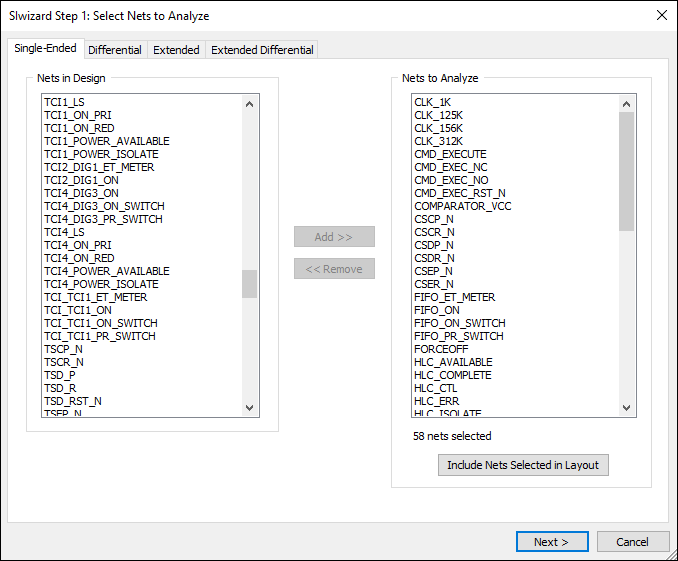
- Navigate using the Single-Ended, Differential, Extended, and Extended Differential tabs. Use the Add>> and <<Remove buttons to select nets for analysis.
- Click Next.
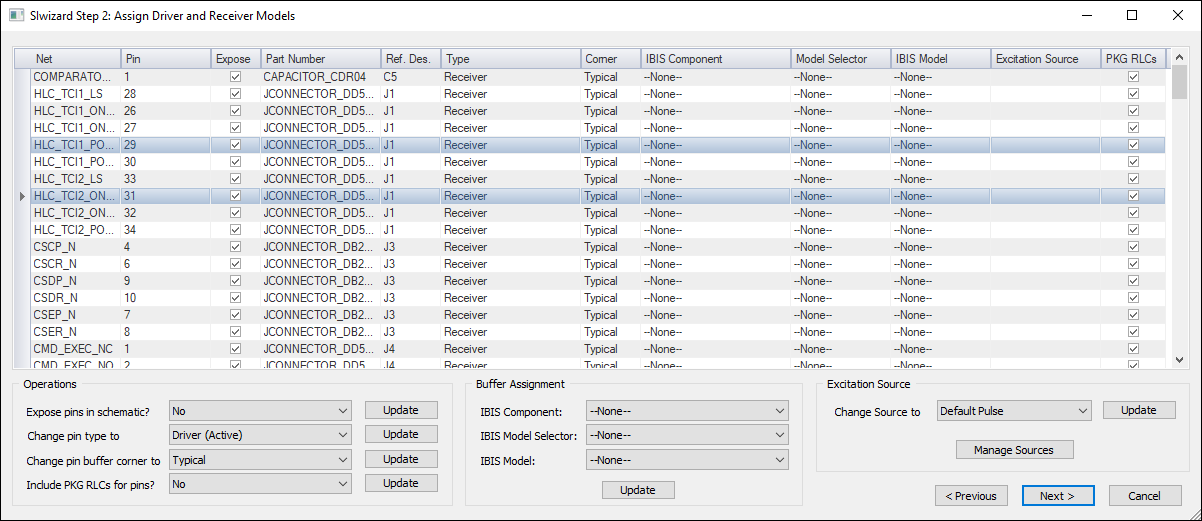
- Click the column headers to sort the nets. Select a net by clicking the gray area to the left of its row. Select multiple nets using Ctrl+click.
- For the selected net(s), you can set the following:
- Expose – check this check box for any pin that is to be an external connection to the Ansys Electronics Desktop circuit/schematic.
- Type – select the IBIS buffer type. Options include: Driver (active), Driver (inactive), Receiver, Receiver (with termination), and Passive termination.
- Corner – select the range for parameters (typical, minimum, or maximum).
- IBIS Component – select a component from the library of IBIS buffer elements. If the buffer type includes model selectors, the Model Selector field is populated. In this case, you must choose a model selector, then an IBIS Model as well. If no model selectors have been defined, leave the default setting (None).
- Excitation Source – select the source for the input excitation to the net. If needed, you can click Manage Sources to view available sources, change existing source parameters, or define new sources.
- PKG RLCs – check this check box to include the RLC Package model for the buffer model.
- Click Next.
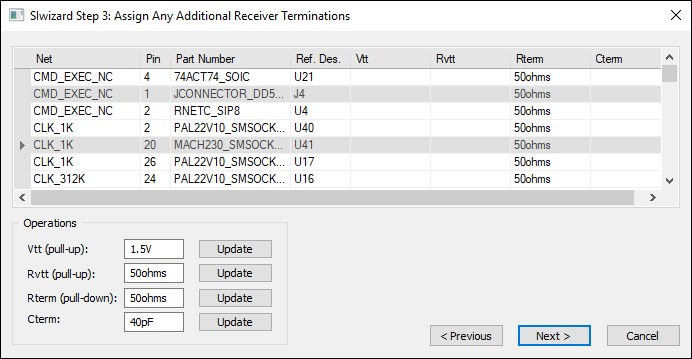
- Update receiver terminations as appropriate.
- Click Next.
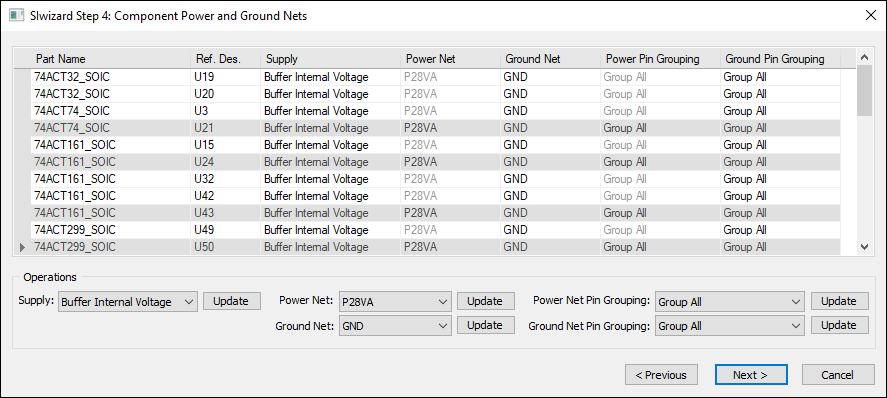
- Update the power and ground nets as appropriate.
- Click Next.
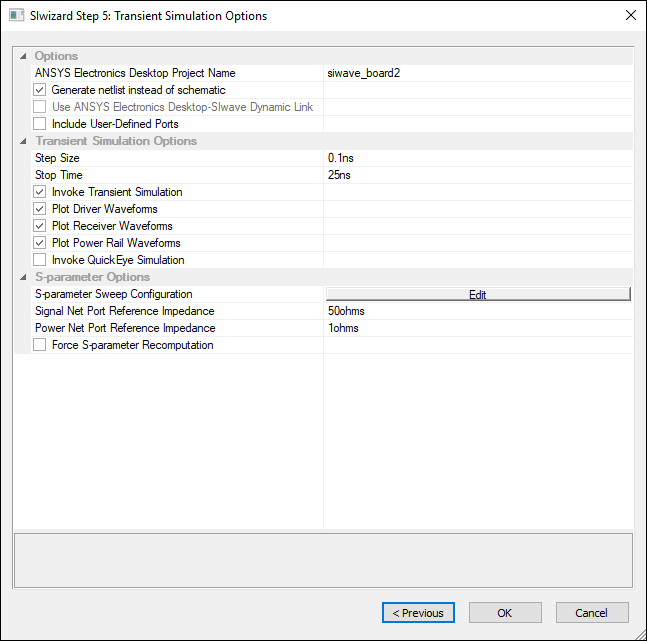
- Verify your options and click OK.
The SIwizard Step 1: Select Nets to Analyze window appears, on the Single-Ended tab.
The SIwizard Step 2: Assign Driver and Receiver Models window appears.
The SIwizard Step 3: Assign Any Additional Receiver Terminations window appears.
The SIwizard Step 4: Component Power and Ground Nets window appears.
The SIwizard Step 5: Transient Simulation Options window appears.
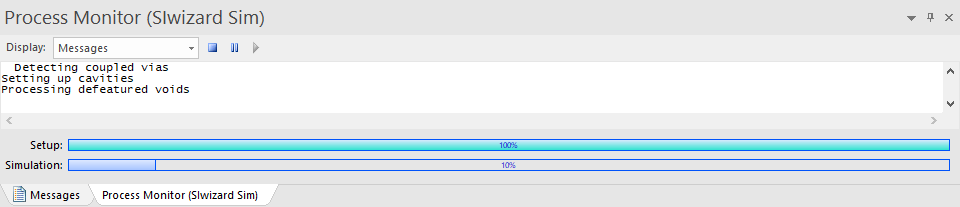
The Messages window updates with a Process Monitor tab that displays the progress.
When the simulation has finished in SIwave, Ansys Electronics Desktop opens to run the cosimulation. If the netlist option is selected, the net is automatically imported into Ansys Electronics Desktop Circuit/Schematic as a netlist with associated IBIS buffer models, analyzed by SIwave to obtain the S-parameters, then handed off to Nexxim transient analysis for the time domain simulation. Time domain reports are displayed automatically in Ansys Electronics Desktop Circuit/Schematic. SYZ results are also available in SIwave.