
Converting Planes to Traces
To convert a plane into a trace:
- Select the plane.
- Click Tools. From the Transformation Tools area, select the Convert Planes to Traces drop-down menu and click Options. The Plane to Trace Conversion Options window opens.
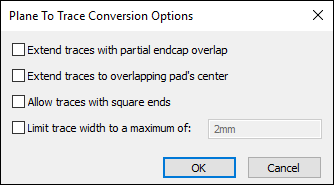
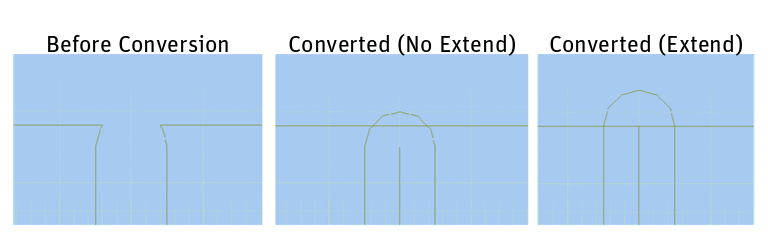
If the round endcap of a trace overlaps a plane, but the center line of the trace does not intersect the plane, select the Extend traces with partial endcap overlap option. This lengthens the trace so that the center line touches the bound of the plane, and fixes misalignment issues. However, if there is other geometry in the small gap that gets filled, it can introduce DC shorts.
- Select an appropriate options and click OK.
- Click Tools. From the Transformation Tools area, click Convert Planes to Traces > Convert Planes to Traces.
The selected planes are converted into traces.