
Network Data Explorer – Changing Port Properties and Reducing Matrix Size
The normalization impedance, termination, port order, gamma values, and de-embedding distance may all be edited from the Port Properties window.
To access these options from the ribbon, click Edit Ports:
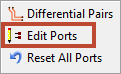
The Port Properties window appears.
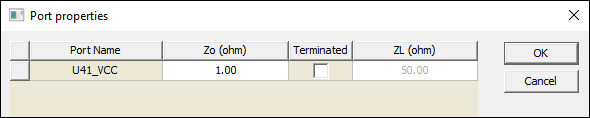
Ports appear in a table. Click a column heading to sort by that column. Click within a cell to edit the port property:
- Zo (ohm) and ZL (ohm) – specify Impedance values. Accepted syntaxes are:
- real (e.g., 50)
- real + imag i (e.g., 50+5i)
- imag i (e.g., 5i).
- Terminated – use the check box to terminate a port. Terminated ports are eliminated from the matrix, reducing the matrix size. Existing datasets with mismatching port numbers will no longer be available for data comparisons.
- De-Embedding – this column appears only if gamma values are available. Default units can be changed from the Set Display Format window.
To reorder ports, click and drag a row to a new location.
To save changes, click OK.
Resetting All Port Properties
The Reset All Ports button clears reference impedances and terminations, but does not disable all differential pairs.