
Changing Plot Display Options
You can change the way SI Xplorer displays plots.
Double-clicking within the plot enables opens the Properties window on the relevant tab.
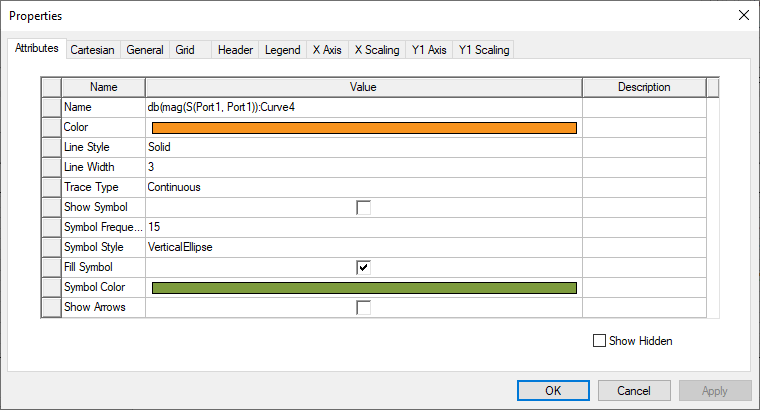
Tabs include:
- Attributes – display options for the selected plot element. This tab only displays when a plot element is selected.
- Cartesian – display options for the coordinate system.
- General – display options for the plot's background colors and number formatting.
- Grid – display options for grid visibility and coloring.
- Header – display options for the header's font and formatting.
- Legend – display options for the legend's background colors, grid, and formatting.
- X Axis – display options for the X axis.
- X Scaling – X axis display options for minimum value, maximum value, and scaling.
- Y Axis – display options for the Y axis.
- Y Scaling – Y axis display options for minimum value, maximum value, and scaling.
Each tab allows you to specify display units, colors, fonts, and scaling for the relevant plot element. Select Show Hidden on any tab to view additional options for that tab.