
Reordering Matrices
To reorder any matrix:
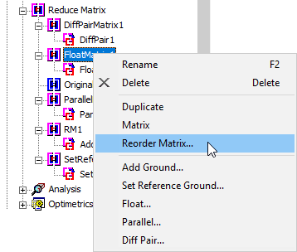
- In the Project Manager, expand Reduce Matrix.
- Right-click a matrix and select Reorder Matrix.
The Reorder Matrix dialog box appears.
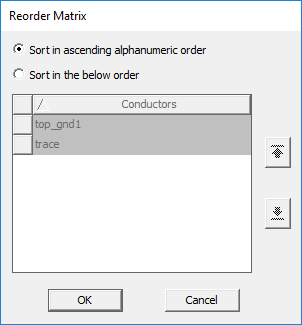
For 2D Extractor, this window contains only one tab. For Q3D Extractor, it contains tabs for RL and CG. Both tabs have the same two options.
- Select either Sort in ascending alphanumeric order or Sort in the below order.
- If you selected Sort in the below order, use the up and down arrows to rearrange the selected conductors, nets, or terminals; or drag-and-drop the items.
- Click OK.