Using Reduce Matrix > Join in Parallel
The Join in Parallel reduction lets you connect two or more source terminals, which are then treated as if they were a single object. The rows and columns that represent their contributions to the matrix are replaced with a single row and column representing the contribution of this new object.
In capacitance (CG) matrices, all parallel conductors are considered to be at the same voltage. As a result, there is no mutual or coupling capacitance between them. (Alternatively, you can think of the coupling capacitance as being shorted out since both of its terminals are at the same potential.)
In inductance and resistance (IR) matrices, source terminals in parallel conductors are considered to be connected, and therefore are dependent. The corresponding sink terminals are also considered to be connected. Parallel reduction is based on the impedance of the conductors being reduced.
To set up parallel connections between the conductors in a structure:
- Click Q3D Extractor > Reduce Matrix > Join in Parallel.
The Reduce Matrix - Join in Parallel window appears, with a list of sources in the left pane.
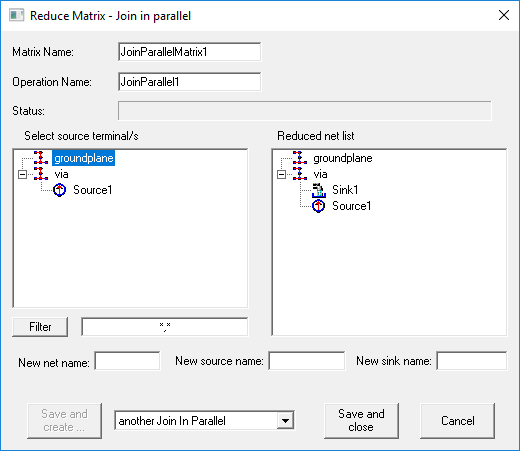
- Select the terminals you want
to join. As soon as you click a source, it is removed from the terminal list and added to the Reduced Net List.
Tip:
Press Ctrl+A to select all terminals.
- If you have a long list of terminals, you can filter the list by entering search criteria and clicking Filter. Use multiple search criteria with a comma separator (for example, "Redsource*, BlueSource*").
- Enter a New net name, New source name, and New sink name. These names should be unique.
- Click one of the following:
- Save and Create to save and leave the Reduce Operation window open to add an additional operation. You must select the next operation from the drop-down menu before clicking this button.
- Save and Close to save the current operation and close the window.
- Cancel to close the window without making changes.
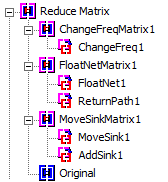
Operations that have been performed appear in the Project Manager: