Using Reduce Matrix > Float Net
The Float Net reduction lets you model the presence of floating conductors in a structure.
In inductance and resistance matrices, the total charge in a floating net is constrained to zero amps. This simulates an open circuit.
In a capacitance matrix, a floating net is considered to have a total zero charge. The potential is the same everywhere on the net because it is considered to be a perfect conductor. The potential of the floating net lies somewhere between the potential of the surrounding sources and ground. The exact value depends on the source excitations and on the model 's geometry.
To define which nets in a structure are floating:
- Click Q3D Extractor > Reduce Matrix > Float Net.
The Reduce Matrix - Float Net window appears, with a list of nets in the left pane.
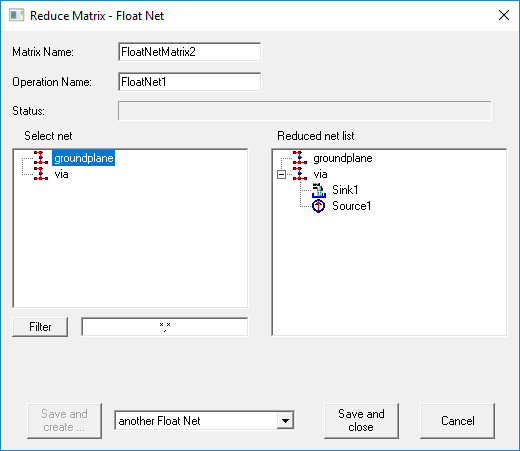
- Select the nets you want to float. As soon as you click a net, it is removed from the terminal list and added to the Reduced Net List.
Important:
You cannot select all nets.
- If you have a long list of nets, you can filter the list by entering search criteria and clicking Filter. Use multiple search criteria with a comma separator (for example, "Redsource*, BlueSource*").
- Click one of the following:
- Save and Create to save and leave the Reduce Operation window open to add an additional operation. You must select the next operation from the drop-down menu before clicking this button.
- Save and Close to save the current operation and close the window.
- Cancel to close the window without making changes.
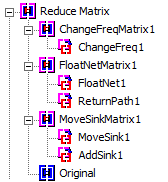
Operations that have been performed appear in the Project Manager: