Using Reduce Matrix > Change Frequency
Use this operation to change the frequency at which the AC resistance matrix is computed. Change Frequency scales the resistance matrix by a factor of:

where:
- fnew is the new frequency (which you will be asked to supply).
- fold is the solution frequency for the matrix you are reducing.
Important:
Change Frequency only affects the AC resistance matrix. It has no effect on any other solution matrices.
To change the frequency of the model excitation:
- In the Project Manager, expand Reduce Matrix and select the matrix you want to reduce.
- Click Q3D Extractor > Reduce Matrix > Change Frequency.
The Change Freq Operation dialog box appears.
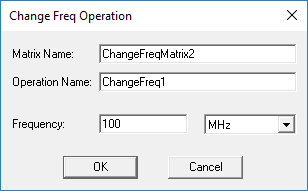
- Enter a Frequency and select a unit of measure from the drop-down menu.
- Click OK.
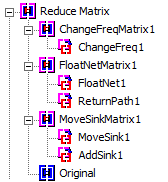
Operations that have been performed appear in the Project Manager: