Using Reduce Matrix > Add Ground
This type of reduction grounds the specified nets in your model. If you have objects not included in the matrix, they are already treated as grounded objects.
When a conductor is grounded, its source terminals are connected to its sink terminal. Current can flow in the newly created loops due to fields induced by the surrounding conductors. The fields produced by this loop affect voltage drops observed in surrounding conductors. Thus, the inductance matrix of the remaining conductors is altered by this operation.
To define which conductors in a structure are grounded:
- Click 2D Extractor > Reduce Matrix > Add Ground.
The Reduce Operation window appears, with a list of the model's conductors in the left pane.
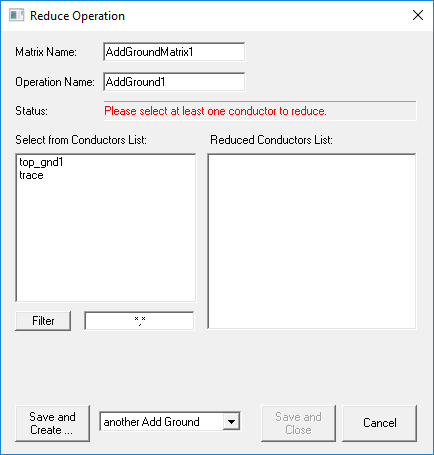
- Select a conductor to ground. As soon as you click the conductor, it is removed from the conductors list and added to the Reduced Conductors List.
Note:
You cannot select all conductors.
- If you have a long list of conductors, you can filter the list by entering search criteria and clicking Filter. Use multiple search criteria with a comma separator (for example, "Redsource*, BlueSource*").
- Click one of the following:
- Save and Create to save and leave the Reduce Operation window open to add an additional operation. You must select the next operation from the drop-down menu before clicking this button.
- Save and Close to save the current operation and close the window.
- Cancel to close the window without making changes.
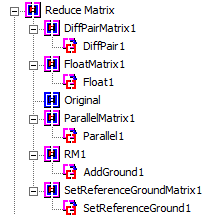
Operations that have been performed appear in the Project Manager: