
Exporting S Parameter Data
To export S parameter data:
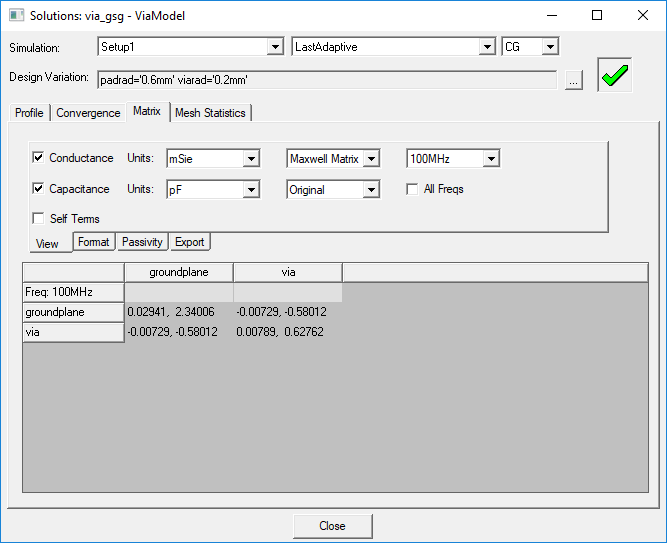
- In the project tree, right-click the solution setup and select Matrix from the shortcut menu. Alternatively, click Results > Solution Data and select the Matrix tab.
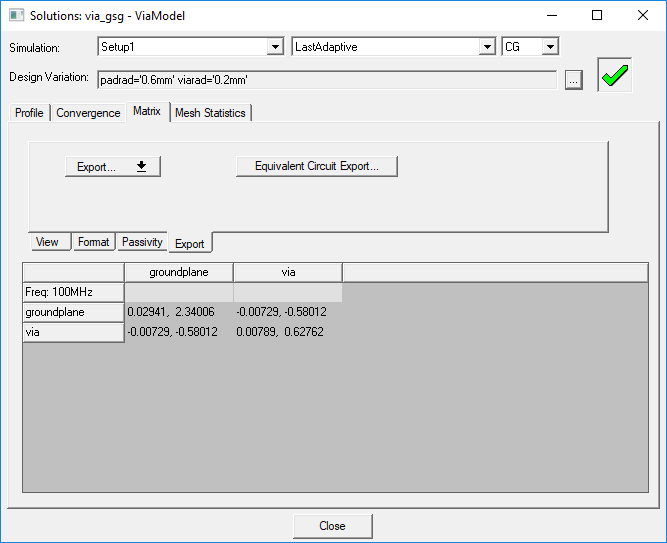
- Click the Export tab.
- Click Export and select S Parameter from the drop-down menu.
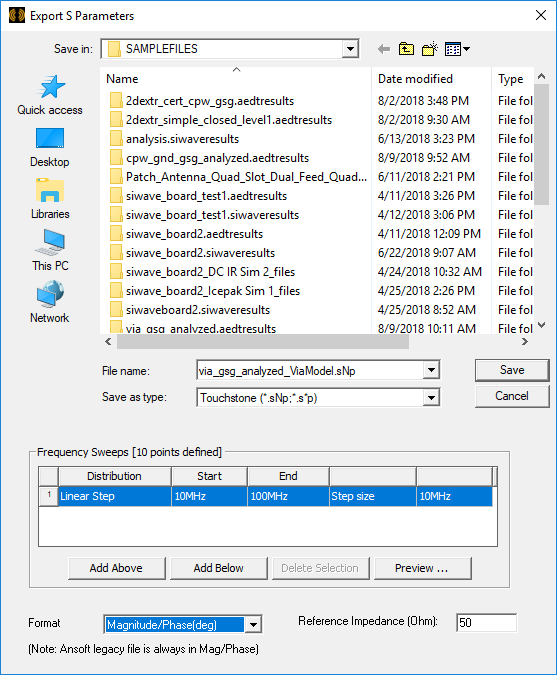
- Enter the name of the file you are exporting to in the File name field.
- Select one the following file formats from the Save as type drop-down menu:
- Ansys EM Legacy Format Files (*.szg)
- Citi Files (*.cit)
- Data Table(spreadsheet) (*.txt)
- Matlab (*.m)
- Neutral Model Format (*.nmf)
- Touchstone (*.sNp, *.s*p)
- Specify the Frequency Setup:
- Specify the Start frequency, Stop frequency, and Step size.
- Select the units.
- Click Display to see the selected values.
- Select the format in which the data is to be exported. Available formats depend on the matrix type being displayed.
- Enter a value for the Reference Impedance.
- Click Save.
The Solutions window appears with the Matrix tab selected.
The Export tab appears.

The Export S Parameters window appears.
If you select the data table format, a text file will be created. The elements of the S-matrix are arranged in a series of columns that are tab-separated and include a first row of headings.
If you select the Matlab format, the elements of the S-,Y-, or Z- matrix will be arranged in a series of rows.
If you select the Touchstone format, a Touchstone S parameter file will be created. The number of sources and sinks is indicated by N. For example, a Touchstone file with one source and sink would have the extension *.s2p.