
Exporting RLGC Matrix Data
To export RLGC matrix data:
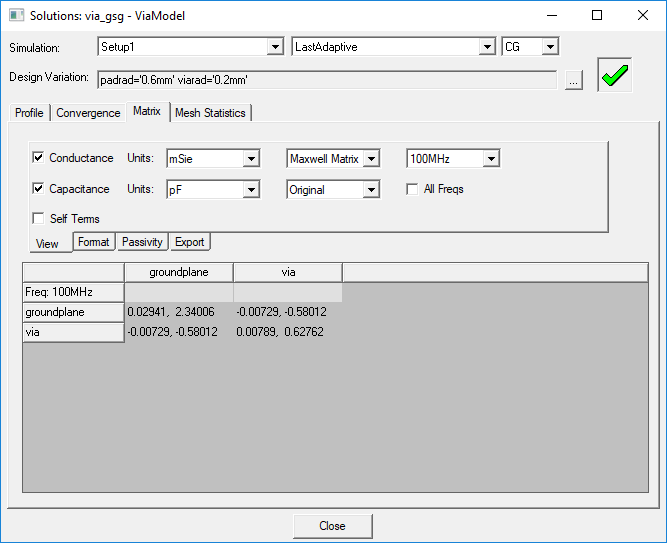
- In the project tree, right-click the solution setup and select Matrix from the shortcut menu. Alternatively, click Results > Solution Data and select the Matrix tab.
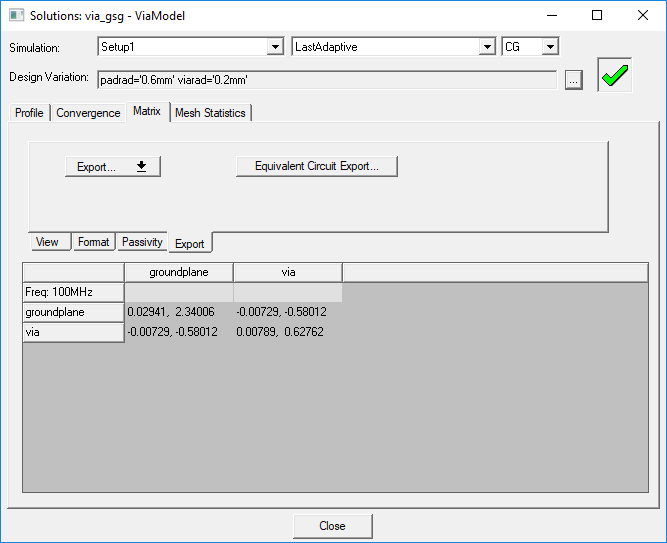
- Click the Export tab.
- Click Export, and select RLGC from the drop-down menu.
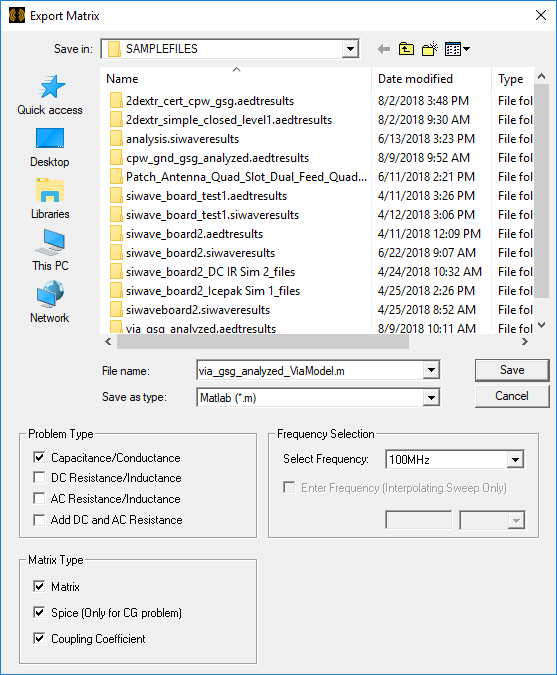
- Enter the name of the file you are exporting to in the File name field.
- Select one the following file formats from the Save as type drop-down menu:
- Ansys EM Legacy Format Files (*.lvl)
- Data Table(spreadsheet) (*.txt)
- Matlab (*.m)
- Select the RLGC data to be exported. You can select Capacitance/Conductance, DC Resistance/Inductance, AC Resistance/Inductance or Add DC and AC Resistance.
- Select the Matrix Type.
- Select the Frequency.
- Click Save.
The Solutions window appears with the Matrix tab selected.
The Export tab appears.

The Export Matrix window appears.
If you select the data table format, a text file will be created. The elements of the RLGC-matrix are arranged in a series of columns that are tab-separated and include a first row of headings.
If you select the Matlab format, the elements of the R-,L-, G-, or C- matrix will be arranged in a series of rows.