Example 4: Only Stress Feedback
The coupling setup is the same as in Example 1, with either one of the following differences:
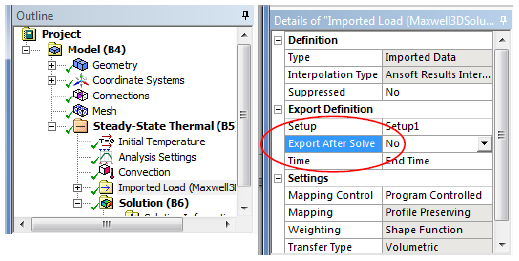
- The Maxwell system is not enabled for thermal feedback (via SetObjectDisplacement). Note that because Maxwell is not enabled to support feedback, the Export Result properties should be available in the thermal system.
- The Maxwell system is enabled for thermal feedback,
but users choose not to Export Result in the thermal system. which disables the automatic Export Results.
- Right-click on the Solution cell of Stress and select Update.
- The Setup of Thermal will be updated with EM loss from Maxwell.
- The Solution of Thermal will be ppdated.
- The Setup of Stress will be updated with thermal force from Thermal and force density from Maxwell.
- Displacement will be exported to Maxwell after Stress finishes simulation.
- Right-click on the Solution cell of Maxwell and select Enable Update.
- Right-click on the Solution cell of Maxwell and select Update.
Maxwell resimulates the third pass with its mesh and the displacement feedback.
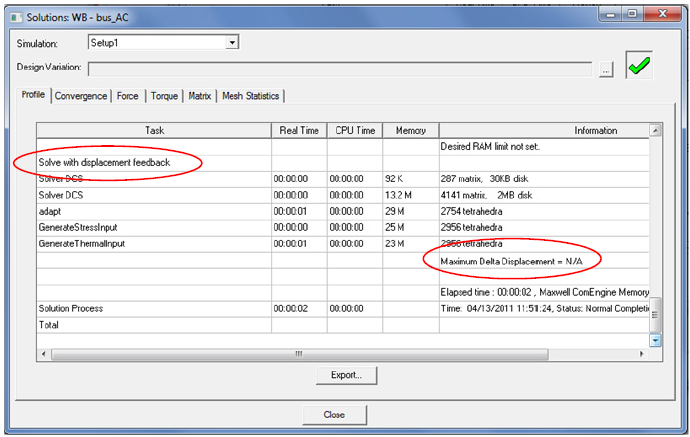
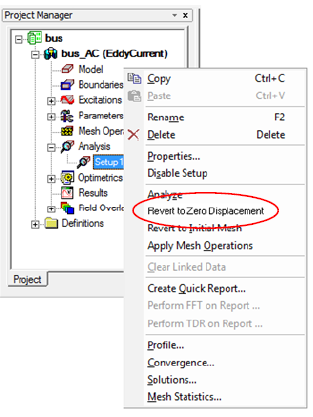
The profile shows information about the feedback and Revert to Zero Displacement will be available in the solve setup context menu.