
Creating an Inner Core Region
Because the properties and parameters of an inner core region should be the same as the corresponding inner core, an inner core region is usually created by replicating an inner core and changing the new object’s InfoCore property to 100. The detailed steps are as follows:
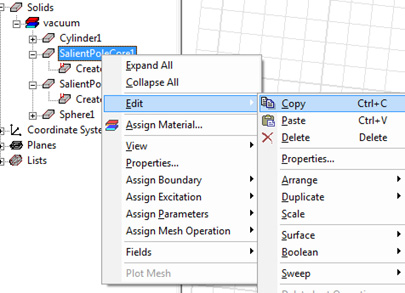
- Select the inner core in the history tree. Then right-click to choose Edit > Copy.
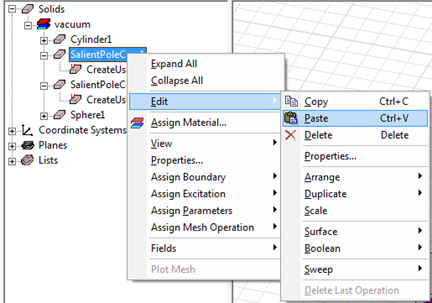
- Right-click the same object in the history tree to choose Edit > Paste. This process is shown in the following figure:
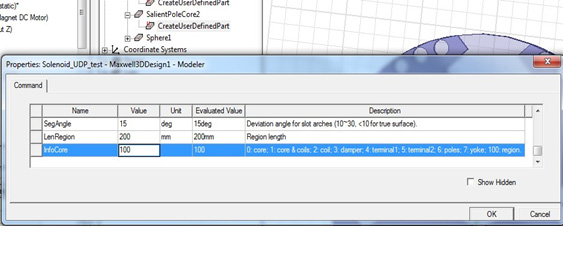
- Click CreateUserDefinedPart, and set InfoCore property to 100 in the pop-up window.
- Click OK.