
Creating Closed Three-Phase Hairpin Windings (HairpinCoil)
-
In Maxwell 3D, launch HairpinCoil UDP with default setting, that is Slots=18, Layers=6, CoilPitch=3, 2ndPitch=3, LayerSetIdx=0, and InfoCoil=1. Since the ratio of Slots to (2ndPitch + CoilPitch) is 3 (an integer number), the UDP will create a closed-coil chain, or a coil loop, located at slot bottom, as shown below (excluding the core lamination).
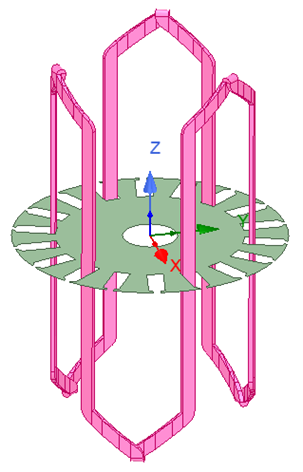
- Make a copy of the coil loop, and change LayerSetIdx to 1, this copied coil loop is changed to locate at the slot center.
- Make a copy of the coil loop again, and change LayerSetIdx to 2, this copied coil loop is changed to locate at the slot top.
-
Duplicate all these three coil loops with the following parameters in Duplicate/Around Axis command: Angle = 20deg, Total Number = 6, and change colors for different phases, then you will get the final three-phase windings, as shown below.
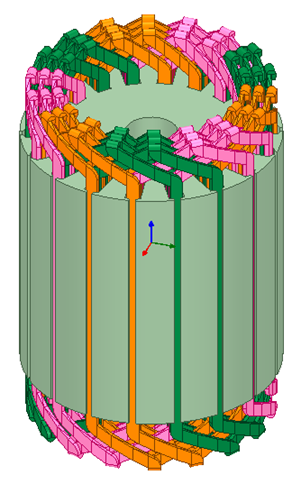
Closed three-phase hairpin windings