
Color Legend Attributes
The Color Legend Attributes menu option allows you to change the granularity of the color scheme and the value range for plots. This right click menu option appears in the Matrix plot.
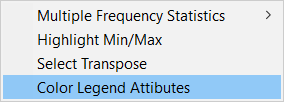
Alternatively, double-click the matrix plot's legend to open the Legend Attributes window.
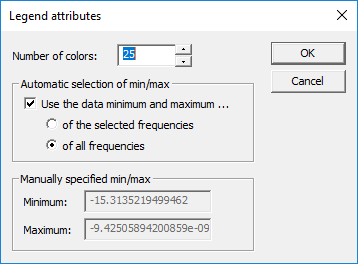
Options include:
- Number of colors – allows you to select number of color entries in the legend (the number of divisions between the start/end of the data range). This can be set to any discrete number between 1 and 50.
- Automatic selection of min/max – check the Use the data minimum and maximum check box to automatically select the data range using the minimum and maximum values from either selected frequencies or all frequencies in the data set.
- Manually specified min/max – when the when the range is not automatically determined, these fields permit the user to manually enter hard values. For example, for S parameter data magnitude data, you could enter a minimum of 0 and a maximum of 1.
Using a standard range across all frequencies permits you to quantitatively compare plots, and ndExplorer remembers legend settings for each data-type and display-format pair.