
LPV ROM Parametric Setup
LPV ROM Parametric Setup enables you to quickly create a parametric setup for state-space characterization.
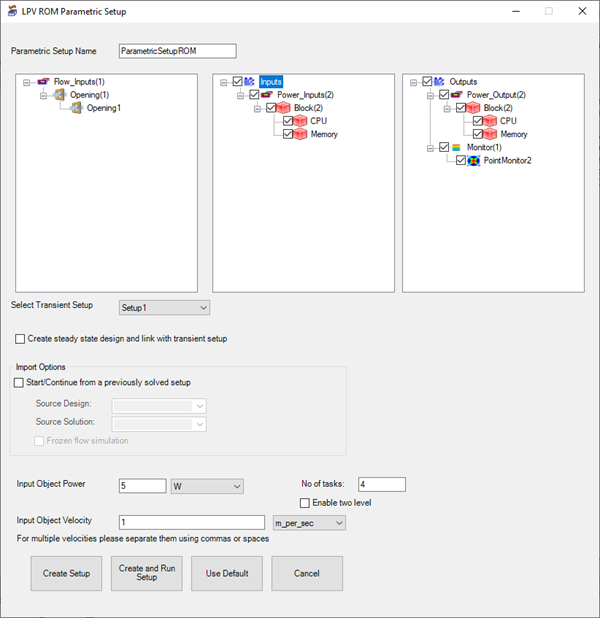
| Parametric Setup Name | Enter a name for the parametric setup. |
| Inputs and Outputs | Select the flow and thermal inputs and the outputs. |
| Select Transient Setup | Select the transient solution setup. If needed, enable Create steady state design and link with transient setup. |
| Import Options | Select Start/Continue from a previously solved setup to link to the steady-state design. Select the design and solution from the drop-down lists. If the steady-state design solves for flow and temperature, select Frozen flow simulation. |
| Input Object Power | Specify the power for the input objects for the parametric trials. |
| Input Object Velocity | Specify the flow for the input object for the parametric trials. |
| No. of tasks/Enable two level | If needed, edit the number of tasks for the solver to run and enable two-level high performance computing. |
| Create Setup | Click Create Setup to create the parametric setup, which is listed under Optimetrics in the Project Manager. |
| Create and Run Setup | Click Create and Run Setup to create and run the parametric setup. |
| Use Default/Cancel | Click Use Default to restore the default settings. Click Cancel to close the LPV ROM Parametric Setup toolkit without creating and running a parametric setup. |