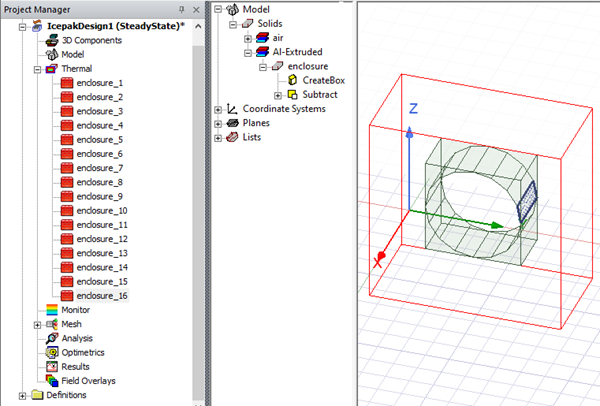
Create Polygonal Enclosure
Create Polygonal Enclosure enables you to create geometry, assign a boundary condition, and create a mesh region for a polygonal enclosure.
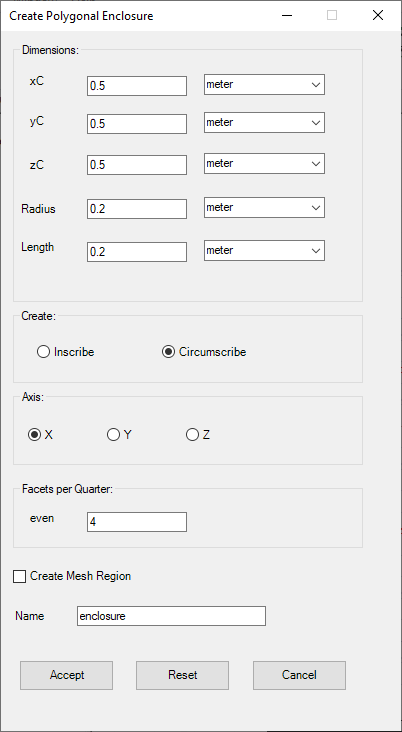
| Dimensions | Under Dimensions, specify the xC, yC, zC lengths to define the object's location (geometric center). Specify the Radius and Length to define the object's size. |
| Create | Under Create, specify Inscribe to create the enclosure outside the specified polygon or Circumscribe to create the enclosure inside the specified polygon. |
| Axis | Under Axis, select the axis on which to orient the enclosure. |
|
Facets per Quarter |
Under Facets per Quarter, specify then number of facets in each quarter of the enclosure. |
| Create Mesh Region | Select Create Mesh Region to create a mesh region around the geometry. |
|
Name |
The Name appears in the Project Manager window, history tree, and 3D Modeler window. |