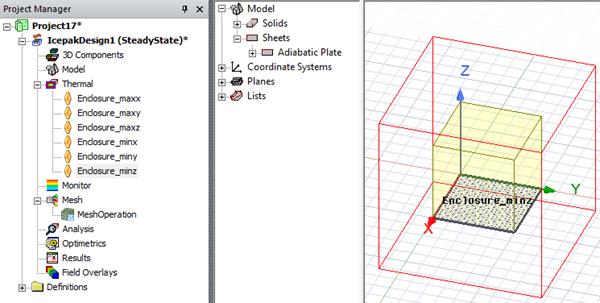
Create Adiabatic Enclosure with Thin Sides
Create Adiabatic Enclosure with Thin Sides enables you to create geometry and assign adiabatic plate boundary conditions for an enclosure with thin sides.
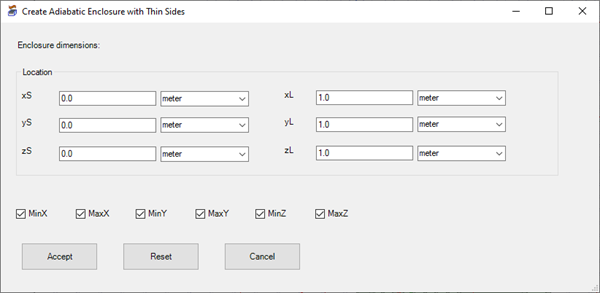
| Location | Under Location, enter xS, yS, and zS values to define the enclosure's start location in each plane, and enter xL, yL, and zL to define the length of the sides in each coordinate direction. |
| Min and Max Sides | Enable the Min and Max side check boxes to create the sheet geometry and boundary condition for the corresponding side. Disable the check box to exclude the side. |
| Accept | Click Accept to create the enclosure. |
| Reset | Click Reset to restore the default values. |
| Cancel | Click Cancel to close the dialog box without creating the enclosure. |