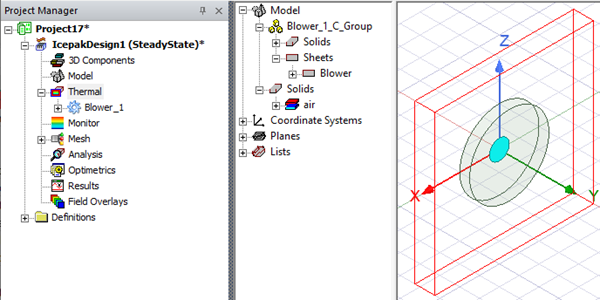
Blower
Blower enables you to create blower object geometry apply the blower boundary condition. Specify the blower Name and select from the following blower types:
- Type 1 Single Inlet
- Type 1 Dual Inlet
- Type 2 Single Inlet
- Type 2 Dual Inlet
Type 1 Blowers
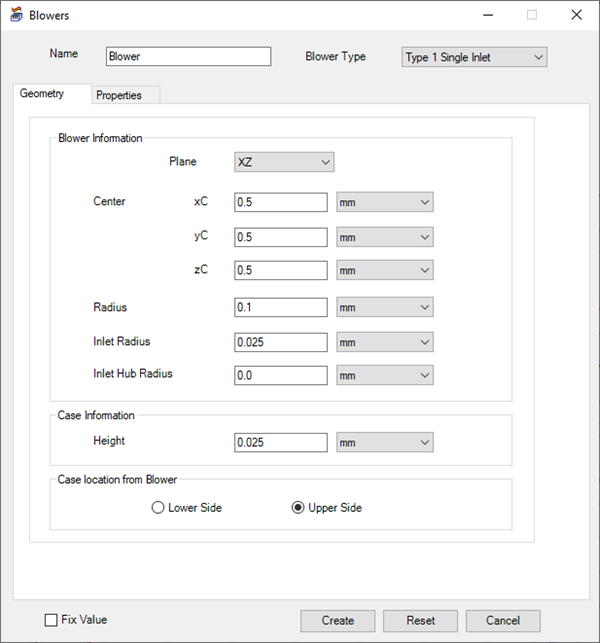
| Blower Information | |
|---|---|
| Plane | Plane specifies which plane the blower will exist on. |
| Center | Center specifies the xC, yC, and zC coordinates to define the center location of the blower. |
| Radius | Radius specifies the length of the blower's radius. |
| Inlet Radius | Inlet Radius specifies the length of the blower inlet's radius. |
| Inlet Hub Radius | Inlet Hub Radius specifies the length of the blower inlet hub's radius. |
| Case Information | |
| Height | Height specifies the height of the blower's case. |
| Case Location From Blower | |
| Lower Side/Upper Side | Lower Side or Upper Side specifies whether the blower case exists on the lower or upper side of the object. |
| Create/Reset/Cancel | Click Create to generate the blower geometry and boundary condition. Click Reset to restore the default values. Click Cancel to close the Blowers dialog box without creating the blower. |
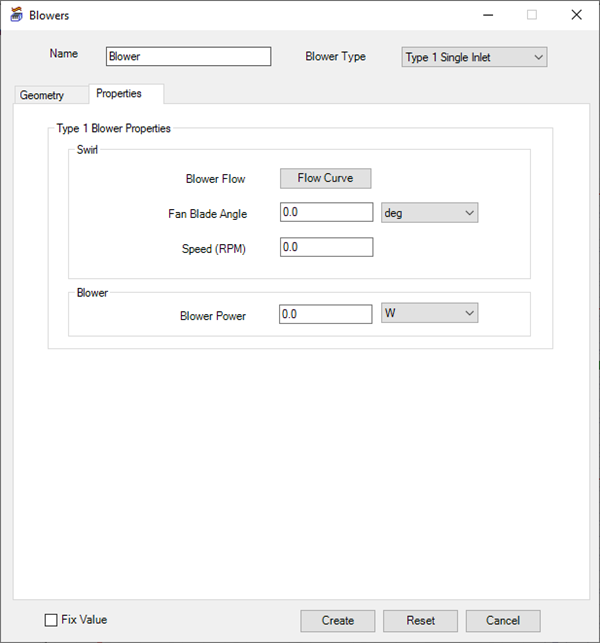
| Swirl | |
|---|---|
| Blower Flow | Blower Flow specifies the flow based on a specified flow curve. Click Flow Curve to open the Edit Dataset dialog box and enter volume flow and pressure data to create the flow curve. |
| Fan Blade Angle | Fan Blade Angle specifies the angle of the blower's fan blade for a type 1 blower. |
| Speed (RPM) | Speed (RPM) specifies the revolutions per minute of the blower fan for a type 1 blower. |
| Blower | |
| Blower Power | Blower Power specifies the total power dissipated by the blower. |
Type 2 Blowers
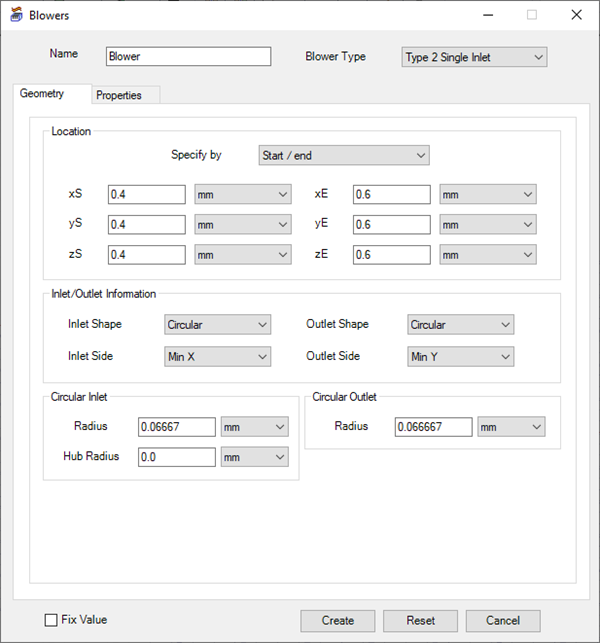
| Location | |
|---|---|
| Specify by | Specify by specifies whether to define the blower geometry dimensions by start and end coordinates (Start/end) or by a starting coordinate and length values (Start/length) |
| Inlet/Outlet Information | |
| Inlet Shape/Outlet Shape | Under Inlet/Outlet Information, specify the shape of the blower's inlet and outlet. Also, specify the side of the inlet and outlet. |
| Inlet Side/Outlet Side | Under Inlet/Outlet Information, specify the side of the blower's inlet and outlet. |
| Inlet (Circular) | |
| Radius | Radius specifies the length of the blower's inlet radius. |
| Hub Radius | Hub Radius specifies the length of the blower inlet hub's radius. |
| Inlet (Rectangular) | |
| Size | Size specifies values for the length and width of the opening for the blower's inlet. |
| Hub Radius | Hub Radius specifies the length of the blower inlet hub's radius. |
| Offset | Offset specifies the offset distances from the center of the face for the blower's inlet. |
| Outlet (Circular) | |
| Radius | Radius specifies the length of the blower's outlet radius. |
| Outlet (Rectangular) | |
| Size | Size specifies values for the length and width of the opening for the blower's inlet. |
| Offset | Offset specifies the offset distances from the center of the face for the blower's outlet. |
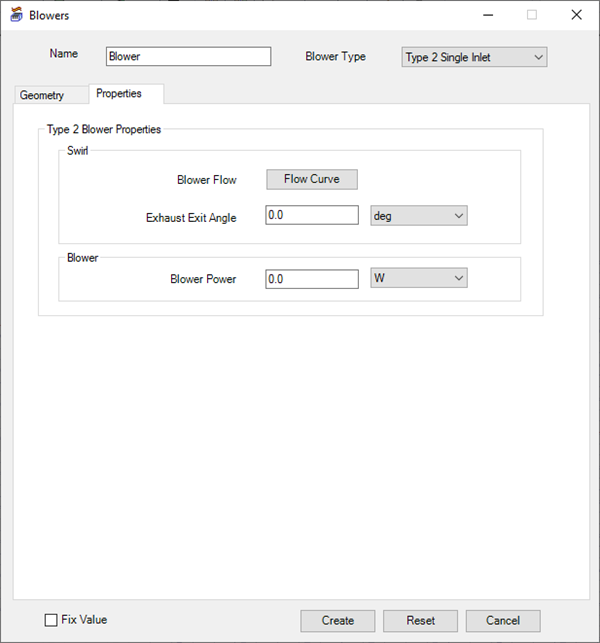
| Swirl | |
|---|---|
| Blower Flow | Blower Flow specifies the flow based on a specified flow curve. Click Flow Curve to open the Edit Dataset dialog box and enter volume flow and pressure data to create the flow curve. |
| Exhaust Exit Angle | Exit Exhaust Angle specifies the angle of the exhaust flow for a type 2 blower. |
| Blower | |
| Blower Power | Blower Power specifies the total power dissipated by the blower. |