
Lightweight Geometry for Icepak Designs
Importing large stl files into Ansys Electronics Desktop can be time consuming. STL files contain triangulations of objects, and importing them to the modeler creates a face out of every triangle, and an edge out of every triangle edge. This creates a large number of faces and edges. which can slow down operations. The lightweight geometry feature gives you the option to import objects as one face, without edges or vertices in them. Internally, the modeler does not create parasolid bodies for these objects.
The Import File dialog for STL files contains several options.
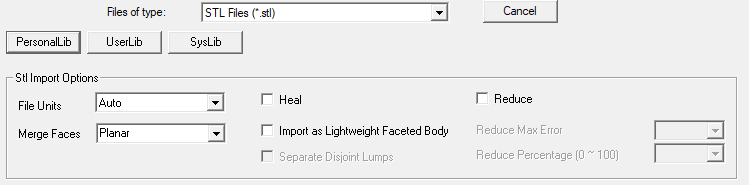
- Heal attempts to remove common issues while importing stl files, including closing solids when they are open due to minor cracks in triangulation and removing self-intersections.
- Import as Lightweight Faceted Body, if checked, creates faceted bodies from imported objects and enables the Separate Disjoint Lumps option.
- Separate Disjoint Lumps option, if checked, create multiple parts if the .stl files have objects having disjoint lumps.
- Reduce enables lets you reduce the number of facets in faceted objects while keeping the overall shape of the object. Checking Reduce enables fields for specifying Reduce Max Error and Reduce Percentage.
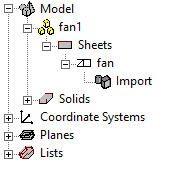
Once imported, faceted objects have distinct icons in history tree. They can also be grouped together, as shown in the following figure.
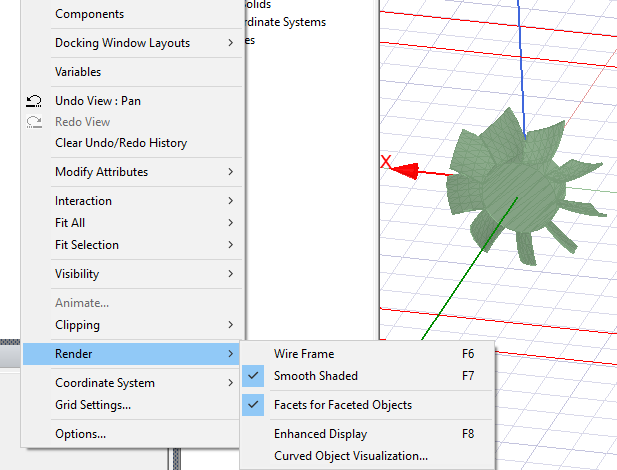
The option Facets for Faceted Objects is provided in View>Render menu. When this option enabled, the modeler renders edges of triangle contained in the faceted bodies. These edges cannot be selected. See the following figure:
Permitted Modeler Operations on Faceted Objects
- Arrange operations such as Move, Rotate, Mirror.
- Duplicate along line, around axis, with mirror.
- Scale.
- Copy-Paste.
- Create object CS - you can snap to vertices of facets to create object CS.
- Create face CS - you can pick any point, determine the triangle on which the picked point lies, and store the position relative to the triangle vertices.
- Create 3D components out of faceted objects.
- Selecting faces for assigning boundaries, coordinate systems, excitations or hybrid regions. Note: the entire object boundary is selected.
Other Characteristics of Faceted Objects
- Solid and sheet objects are identified in the History tree.
- Object Measure dialog shows the correct volume, and surface area of faceted objects.
- Faceted objects are skipped during intersection checks and containment checks done during geometry validation.
- Faceted objects cannot be exported from the Modeler.